1.1 Update Custom RAG Status
Print
Created by: Focus Success - Focus HQ
Modified on: Wed, 23 Sep, 2026 at 4:52 PM
1. Update Custom RAG Status
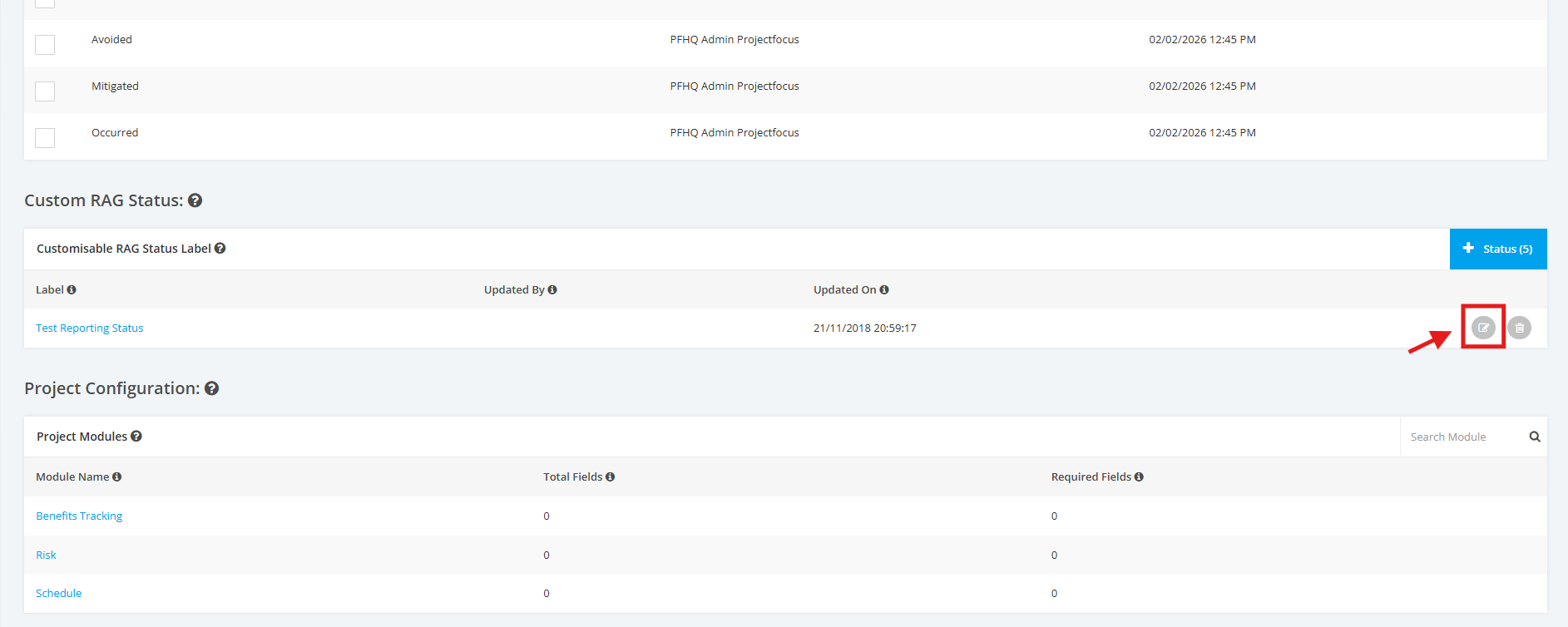
1. Click the “Edit” button in order to edit the Custom RAG Status.
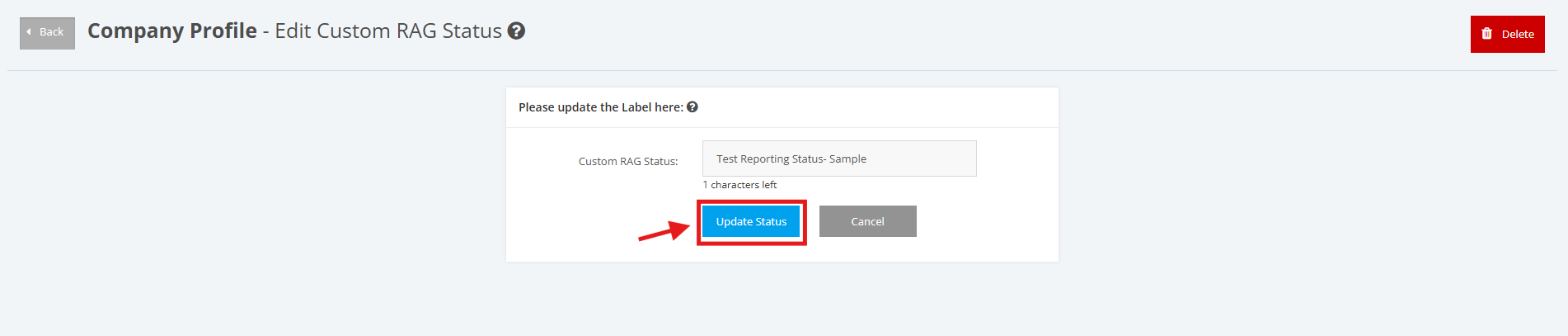
2. Input an updated title for the Custom RAG Status. Once done, click the 'Update Status' button.
3. The updated name of the Custom RAG Status is successfully displayed.

Focus is the author of this solution article.
Did you find it helpful?
Yes
No
Send feedback Sorry we couldn't be helpful. Help us improve this article with your feedback.
