1. Add a New Portfolio Role
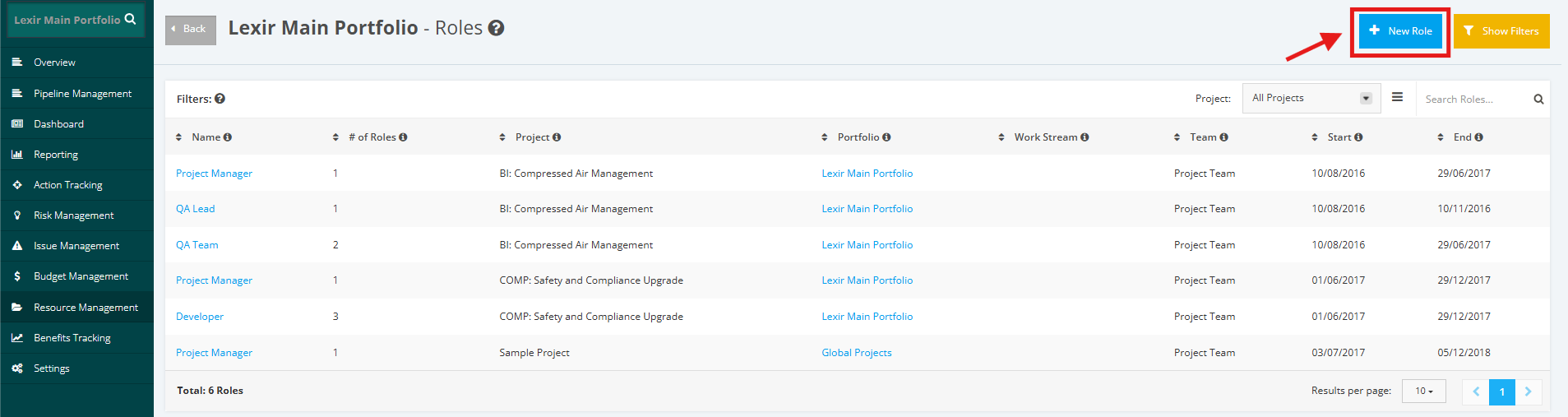
1. Within the ‘Roles’ page, click the ‘+New Role’ button.
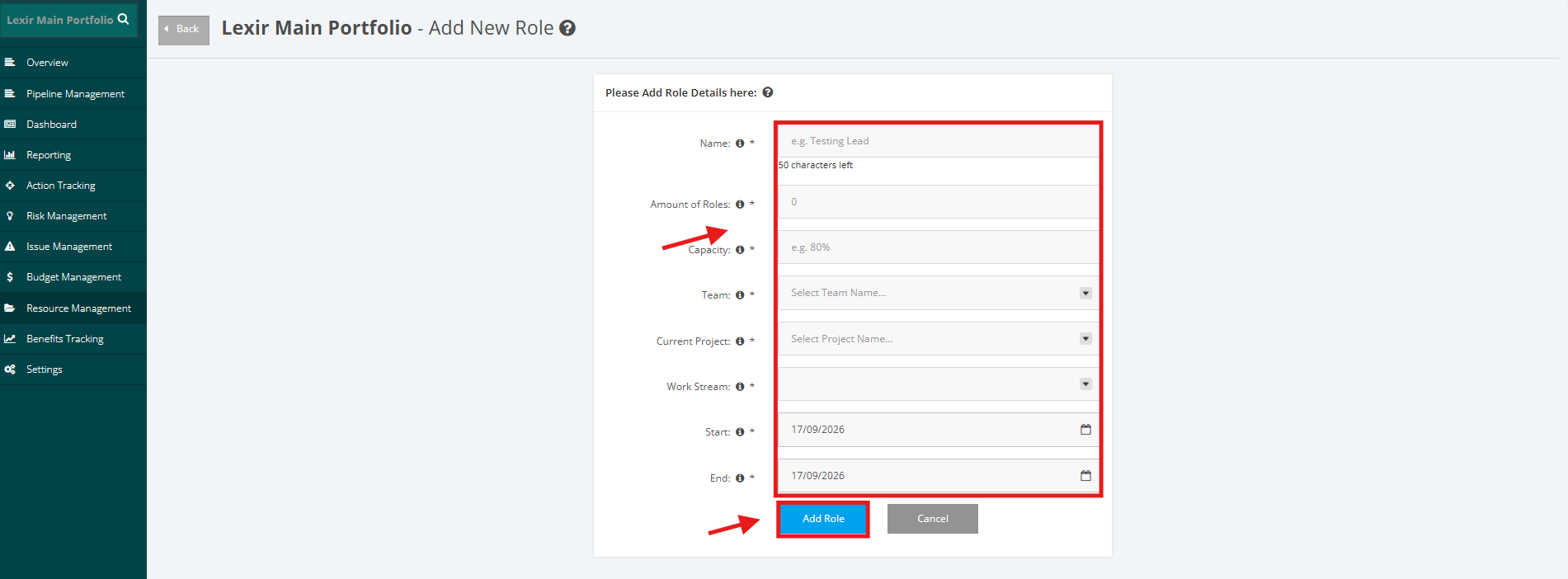
2. Input the necessary information in the form (Name, Amount of Roles, Capacity, Team, Current Project, Work Stream, Start Date, and End Date). Once done, click the ‘Add Role’ button.