1. Update the Company Profile Default Portfolio Settings - Overview
1. Within the Portfolio Default Settings page, scroll to ‘Portfolio Overview’ section and then ‘General Settings’. Click the ‘Edit’ button.

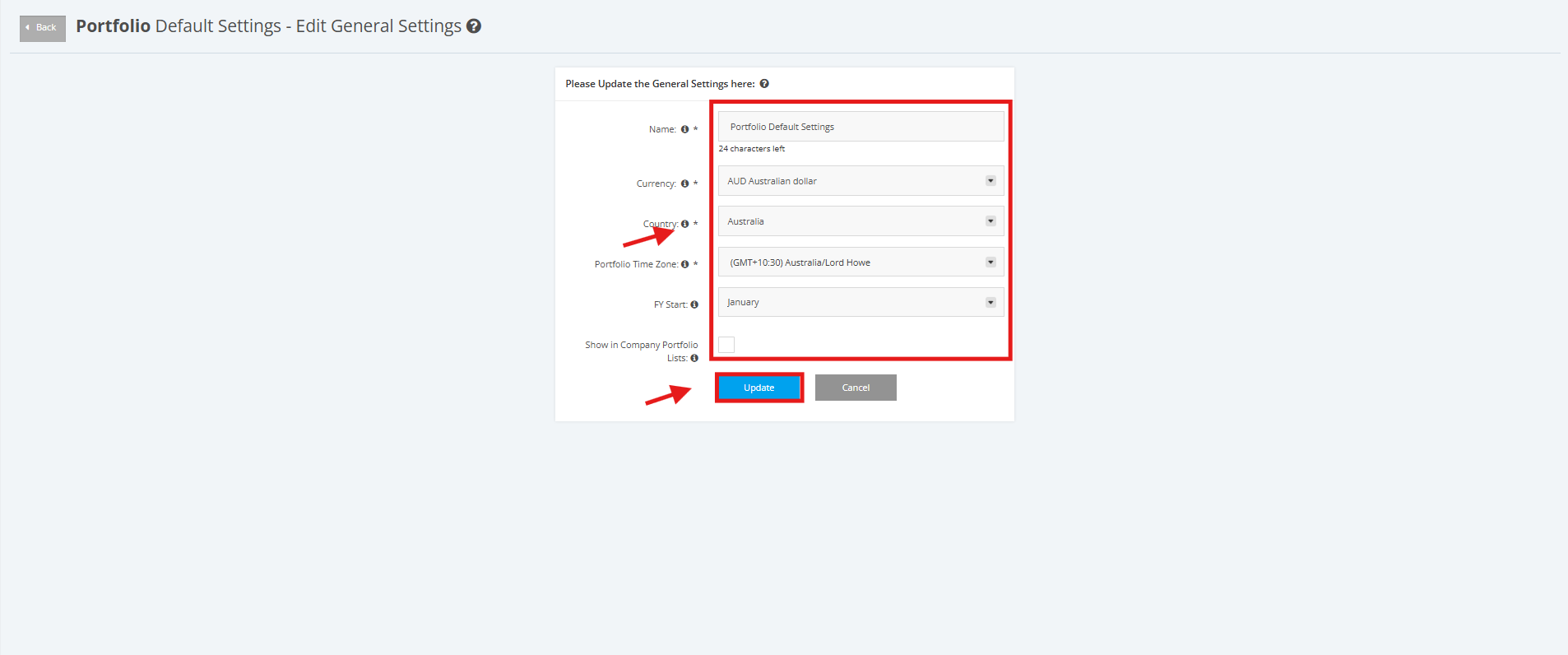
3. Update the necessary information in the form (Name, Currency, Country, Portfolio Time Zone, FY Start).
If you like the portfolio to be shown in lists (such as on the New Project creation form) to users who do not have View or Update access on this portfolio, tick the 'Show in Company Portfolio Lists' checkbox.
After all changes are made, click the ‘Update’ button to save them.