
1. Portfolio Default Settings – Manage Report Notifications
1. Within the Portfolio Default Settings page, scroll to the ‘Notification Settings’ section then ‘Email Notifications’.
Tick/untick checkboxes to enable/disable sending of Report Notifications (per Key Role).
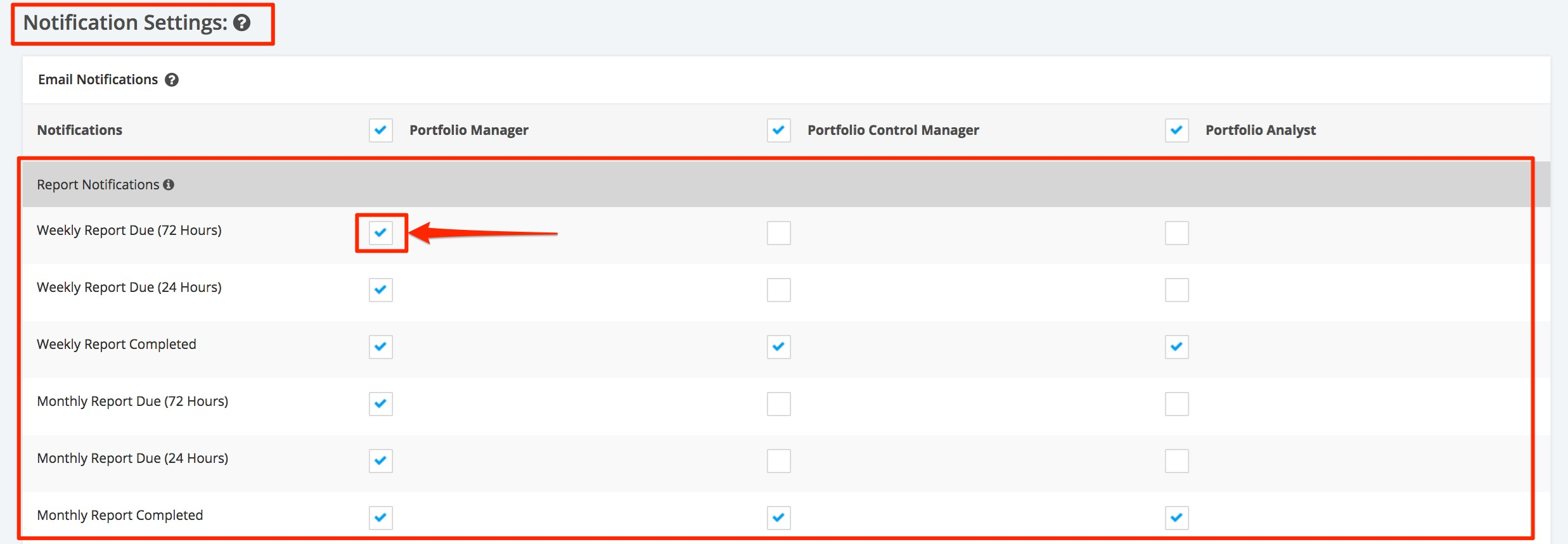
Report Due – sends an email reminder when the report is available for editing in the reports section (E.g. 24 Hours and 72 Hours). All data will still be updated while a report is in a draft status.