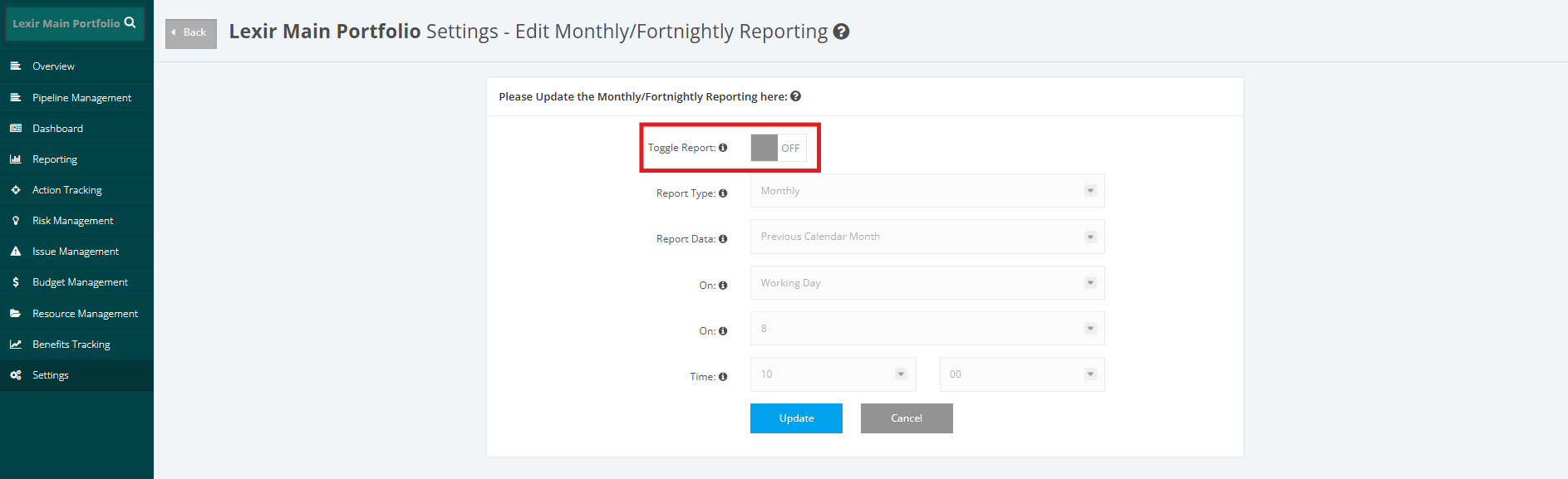
1. Update Portfolio Monthly/ Fortnightly Reporting Schedule
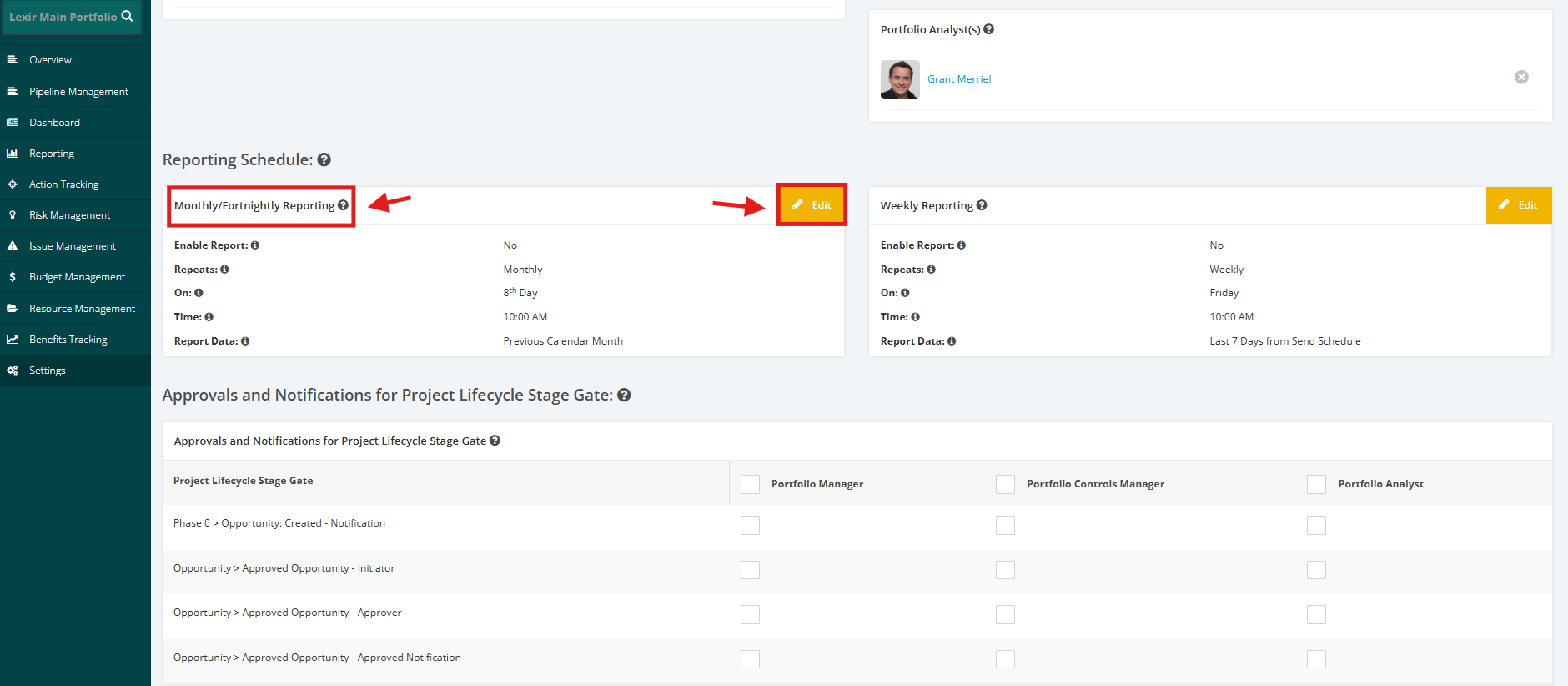
1. In Portfolio ’Settings’ page, navigate to the ‘Reporting Schedule’ section then go to ‘Monthly/Fortnightly Reporting’ table. Once done, click ‘Edit’ button.
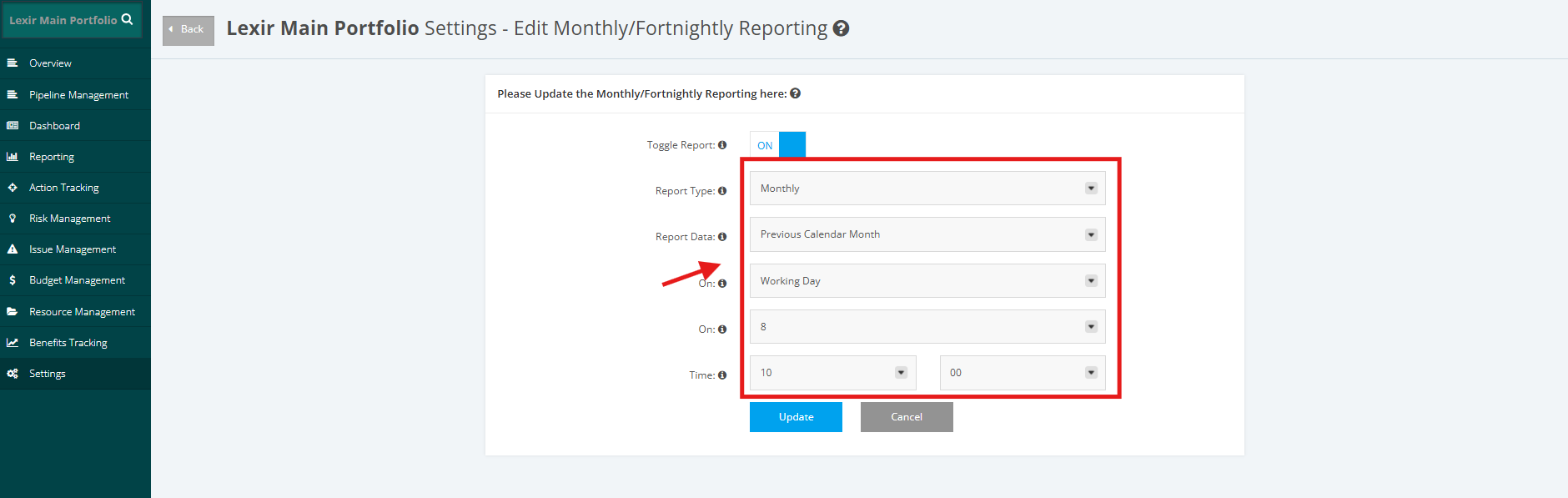
2. Set ‘Report Data’, ‘Send Schedule’, ‘On’ and ‘Time’.
NOTE: 'On' is only available for Monthly Reporting.
For Monthly Report Data, options that can be selected are:
- ‘Previous Calendar Month’ - Data is taken from the portfolio start date up to the last day of the previous calendar month
- ‘Last 30 days from Send Schedule’ - Data is taken from the portfolio start date up to the last day of the 30-day period prior to the send schedule
For Fortnightly Report data, options that can be selected are:
- ‘Previous 2 Calendar Week’- Data is taken from the portfolio start date up to the last day of the previous two calendar weeks.
- ‘Last 14 days from Send Schedule’ -Data is taken from the portfolio start date up to the last day of the 14-day period prior to the send schedule
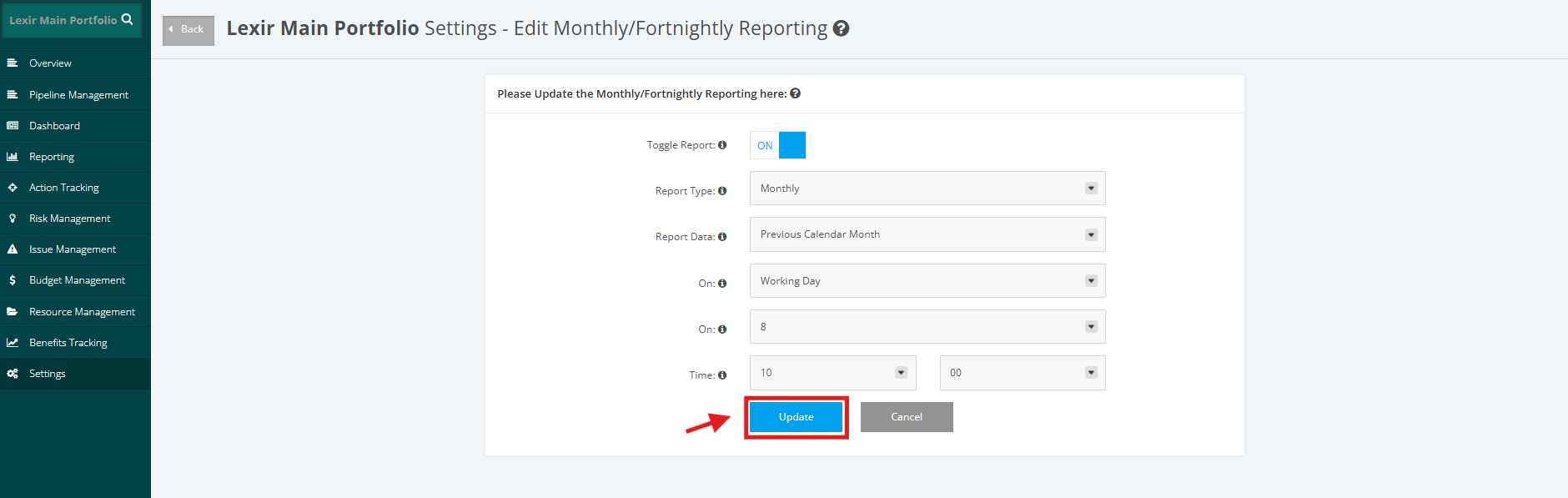
3. Once done, click the ‘Update’ button to save changes.
NOTE: You can also turn the toggle 'OFF' if you choose not to generate a Monthly/ Fortnightly Report for your Portfolio.