
1. Overall Portfolio Trend Display
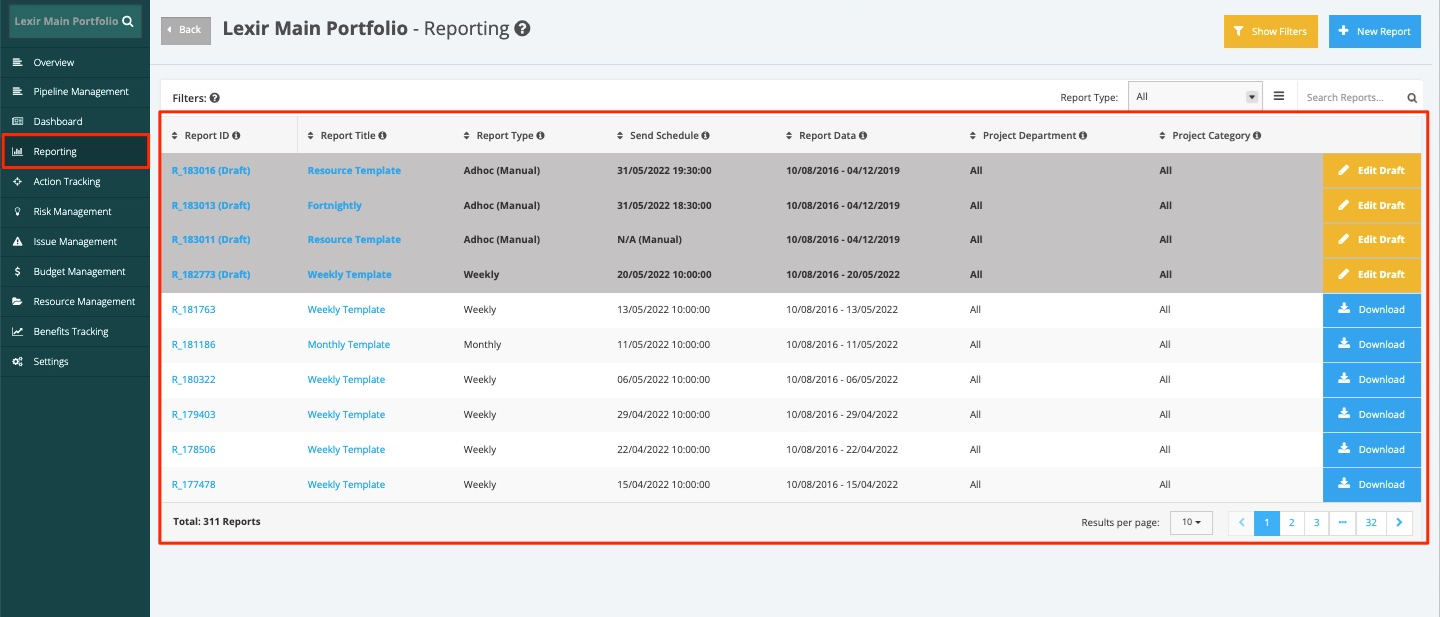
1. The ‘Overall Trend Display’ can be viewed in the Weekly and Monthly Report. Choose ‘Reporting’ from the side bar and choose a report from the list as shown below.
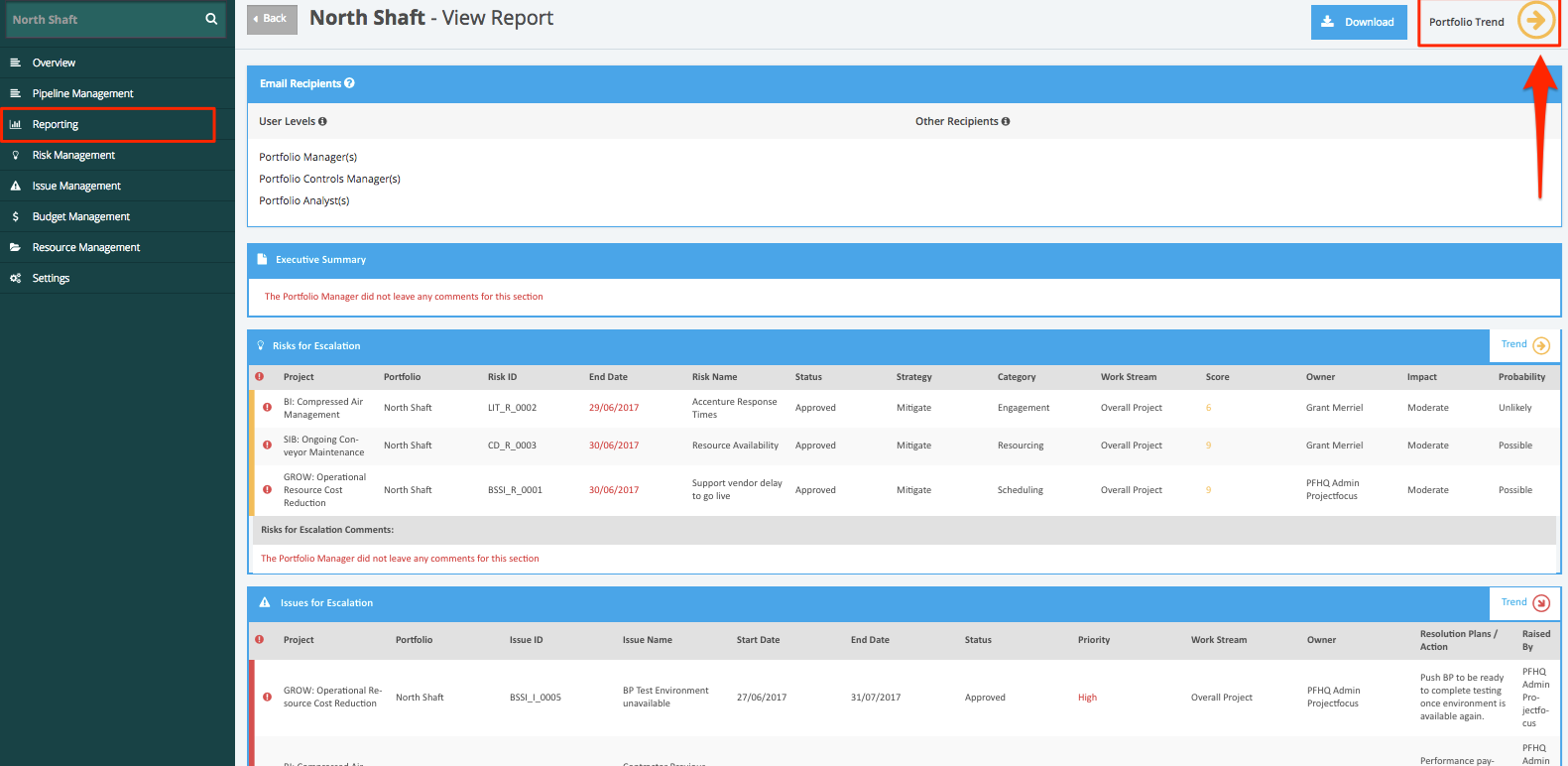
2. To view the ‘Overall Trend Display’, navigate to the top right corner of the page and hover over ‘Portfolio Trend’ as shown below.
3. Listed here are the calculations for the ‘Overall Trends’.
OVERALL TRENDS CALCULATION | ||||||
| Example | Period | Budget Trend | Schedule Trend | Risk Trend | Issue Trend | Overall Project Trend |
| Period 1 (Week 1) | 0 | 1 | -1 | 0 | Red | |
| Period 2 (Week 2) | 1 | 1 | 0 | 1 | Green | |
| Period 3 (Week 3) | -1 | -1 | -1 | 1 | Red | |
| Period 4 (Week 4) | 1 | 0 | 1 | 1 | Green | |
| Period 5 (Week 5) | 0 | 0 | 1 | 0 | Amber | |
| Period 6 (Last Week) | 1 | 1 | 0 | 0 | Amber | |
| Period 7 (Current) | -1 | -1 | -1 | -1 | Red | |
LEGEND: "Green" = +1, "Amber" = 0, "Red" = -1 | ||||||