1. Download Draft Adhoc Report within a Portfolio
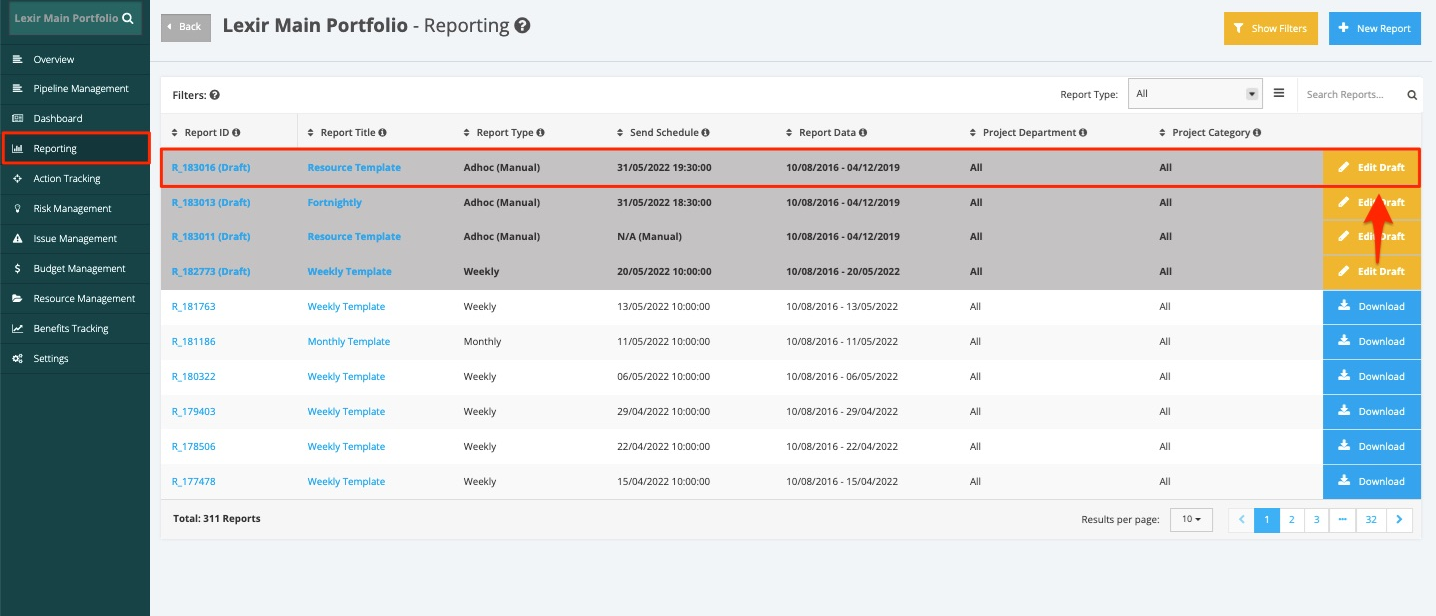
1. Within the Portfolio Reporting page, click the ‘Edit Draft’ button of the Adhoc Report that you want to download.
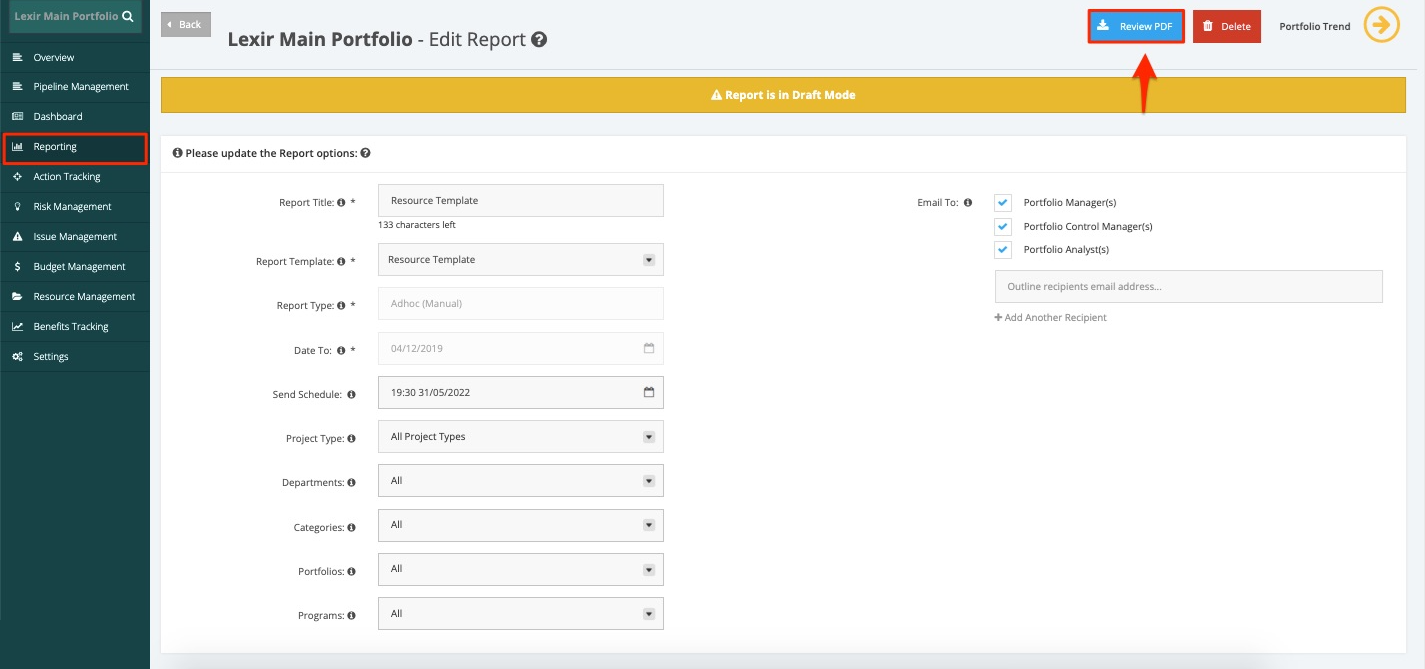
2. Once done, click the ‘Review PDF’ button.

Modified on: Mon, 14 Sep, 2026 at 6:50 PM
1. Within the Portfolio Reporting page, click the ‘Edit Draft’ button of the Adhoc Report that you want to download.
2. Once done, click the ‘Review PDF’ button.
Did you find it helpful? Yes No
Send feedback