1. Remove a Pipeline Black Out Period
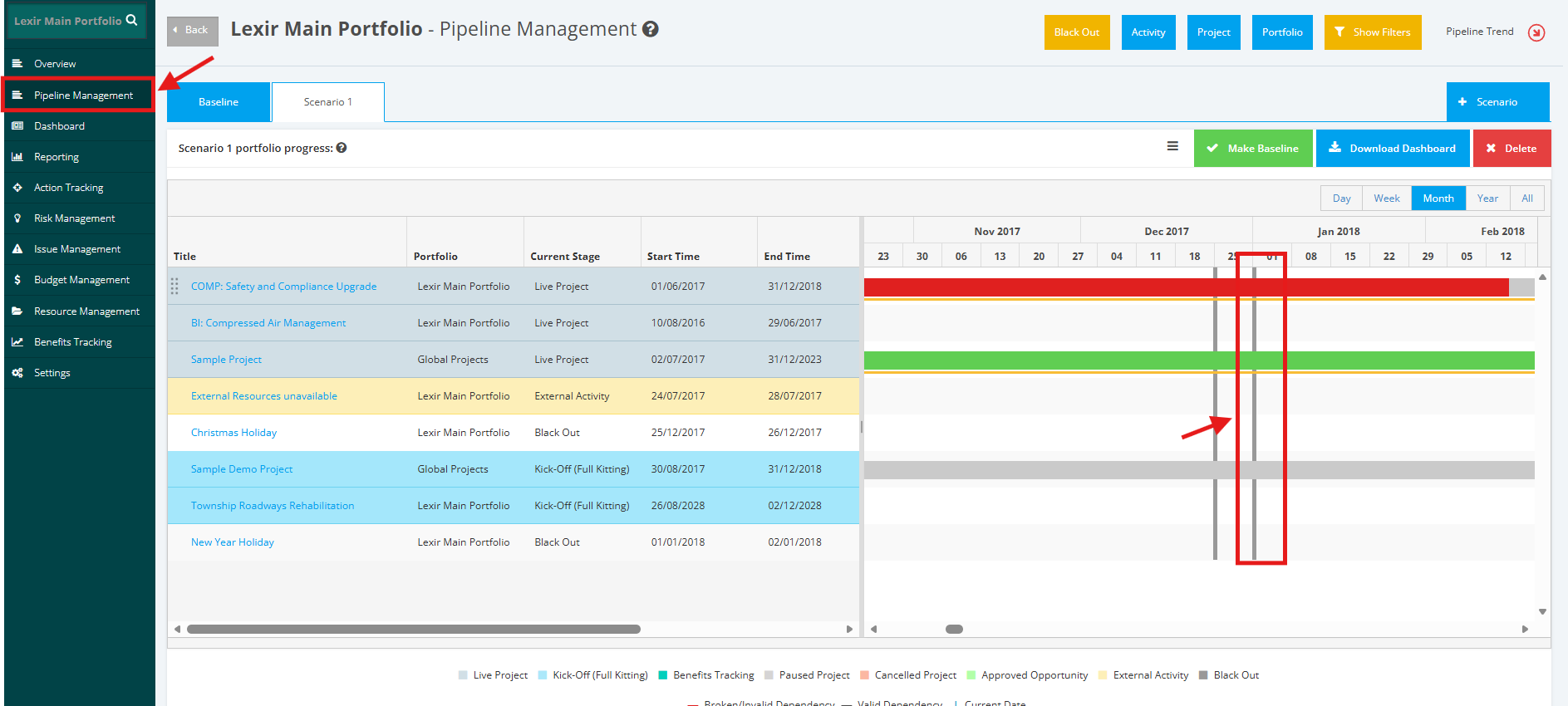
1. To remove a ‘Black Out Period’ within a Portfolio, navigate to the ‘Pipeline’ page by clicking the ‘Pipeline Management’ tab from the left side bar. Once done, go to the Gantt Chart and double click on the ‘+ Black Out’ that you want to remove.
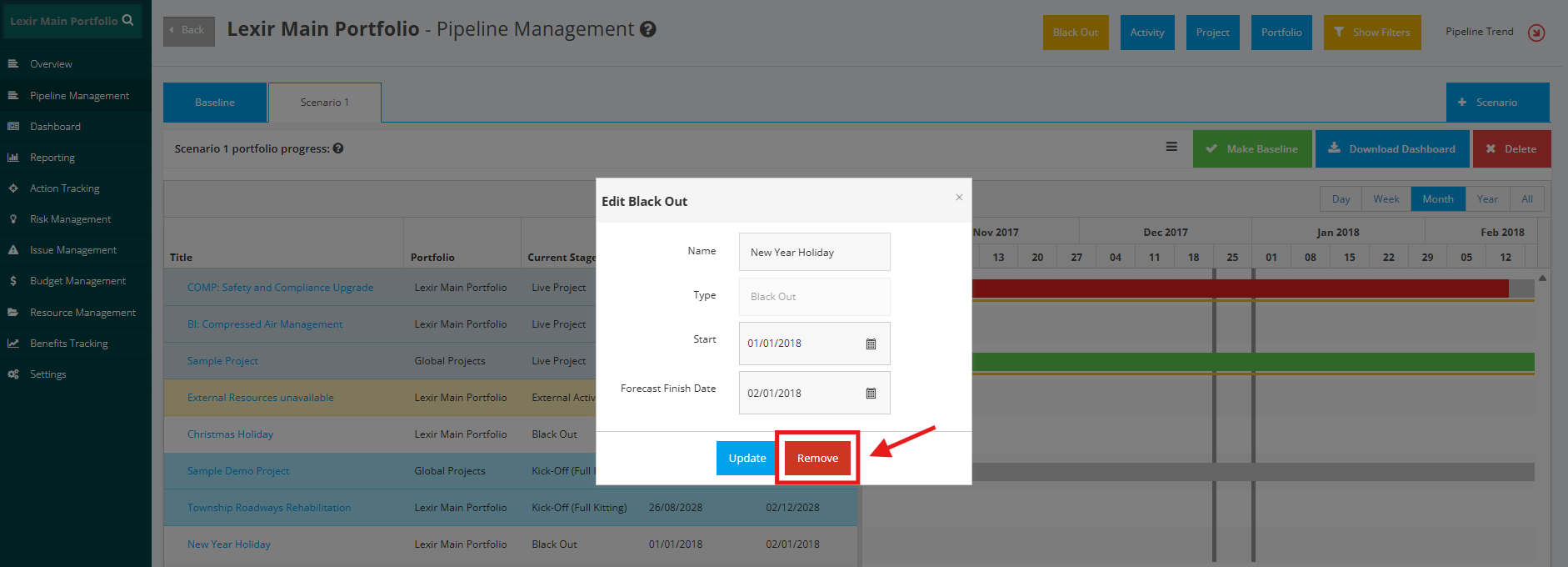
2. Click the ‘Remove from Portfolio’ button to save changes. The Black Out Period is now deleted in the Pipeline.
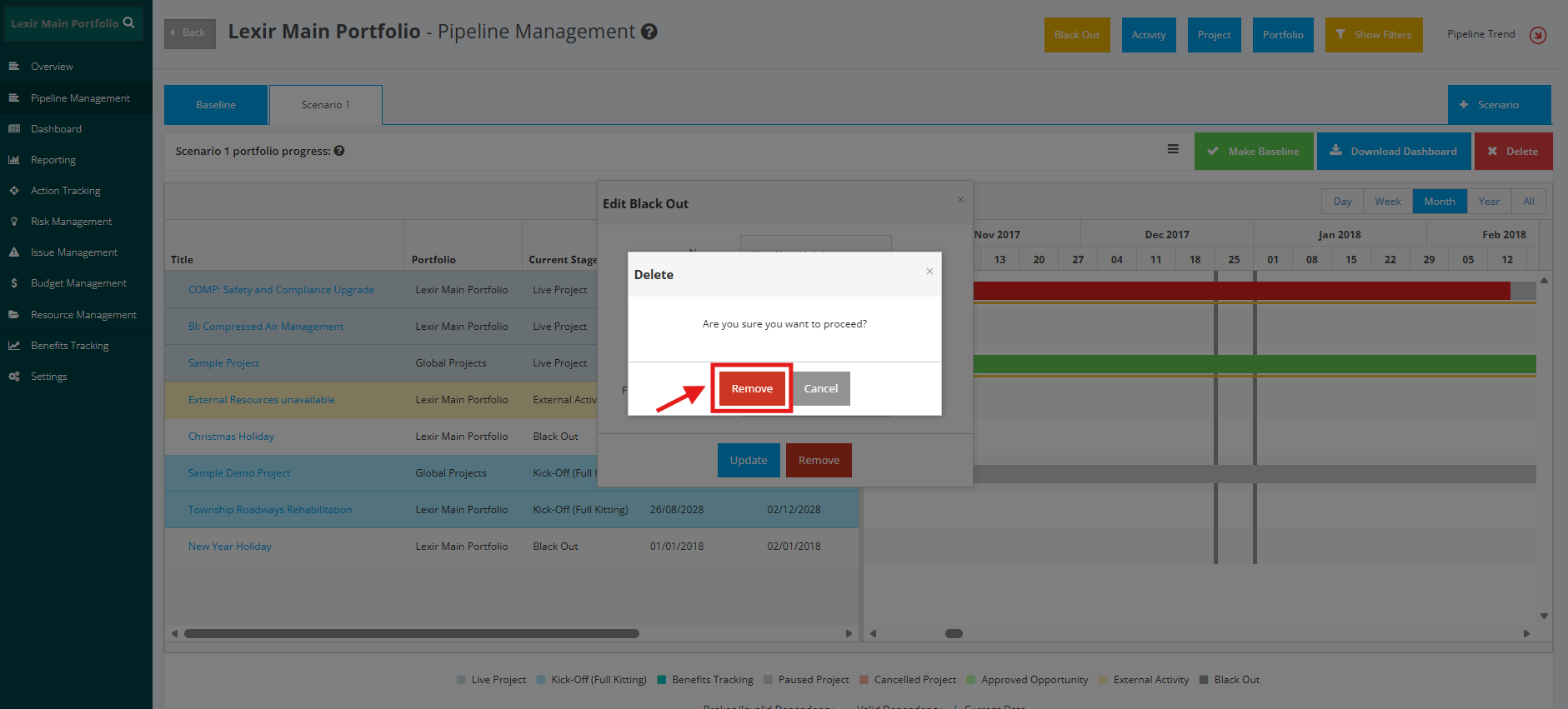
3. A pop-up window will appear, click ‘Remove’ to confirm deletion.
The Black Out will be deleted in the Portfolio.