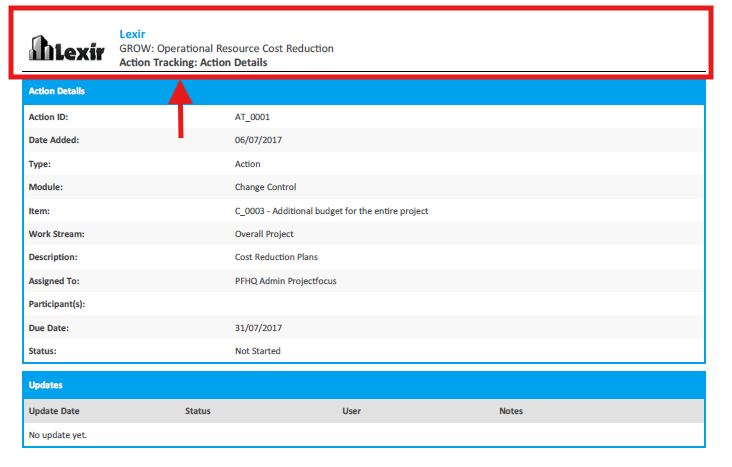
1. Download Change Control Actions in PDF Format
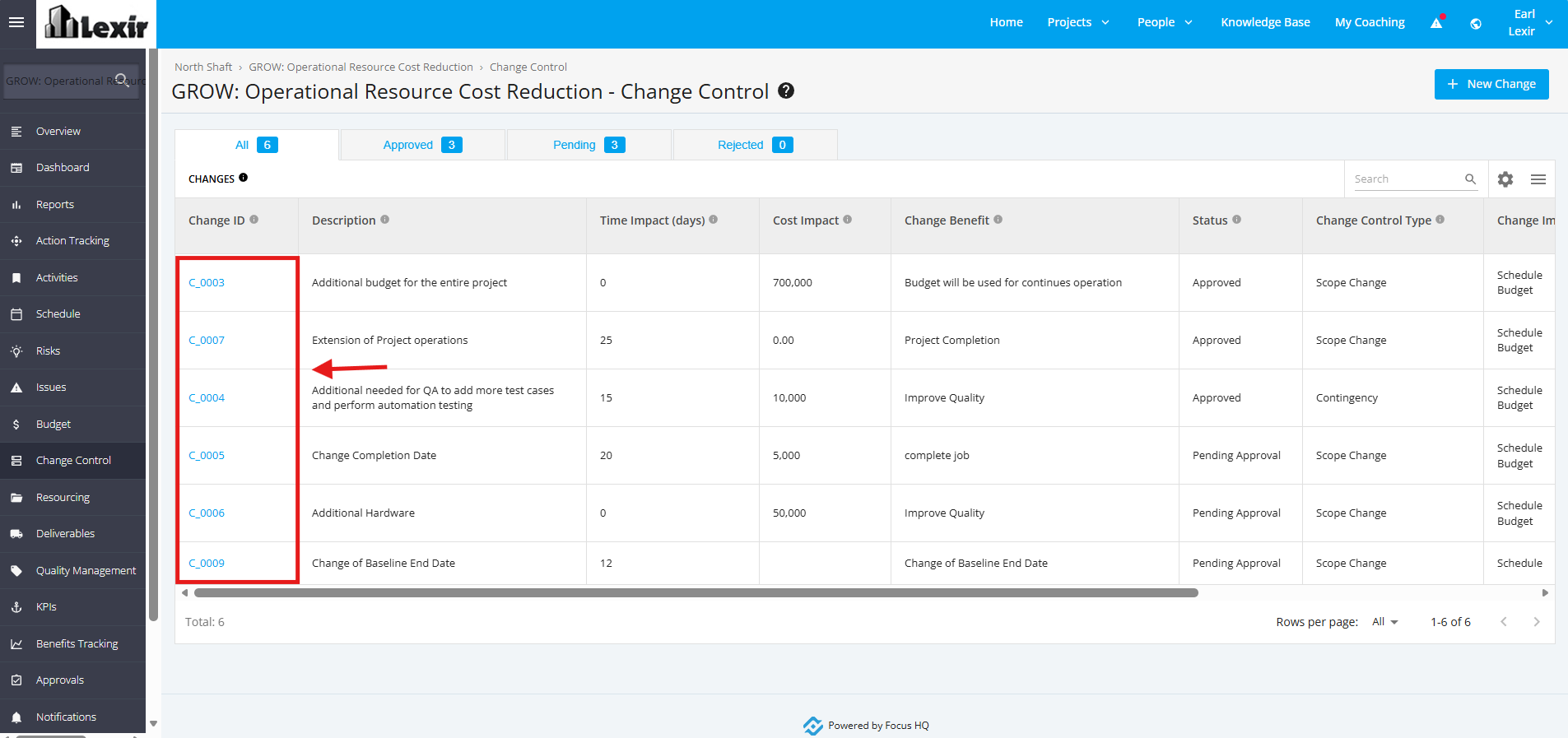
1. Once a project is selected, click the ‘Change Control’ tab from the left sidebar of the page and then click any Pending/ Approved ‘Change Control’.
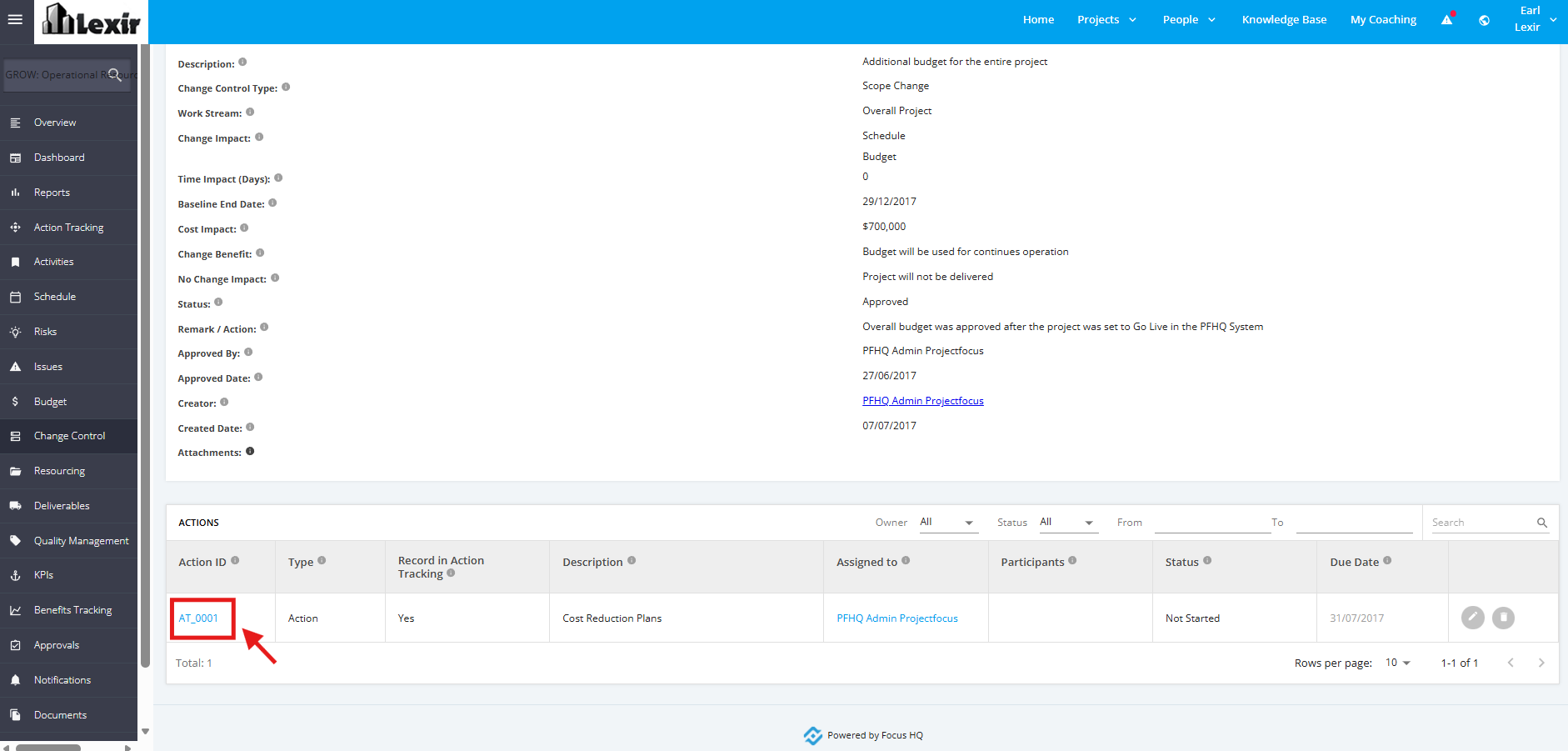
2. Once redirected to the ‘Change Details’ page, scroll down to the ‘Actions’ section and click the ‘Action Item’.
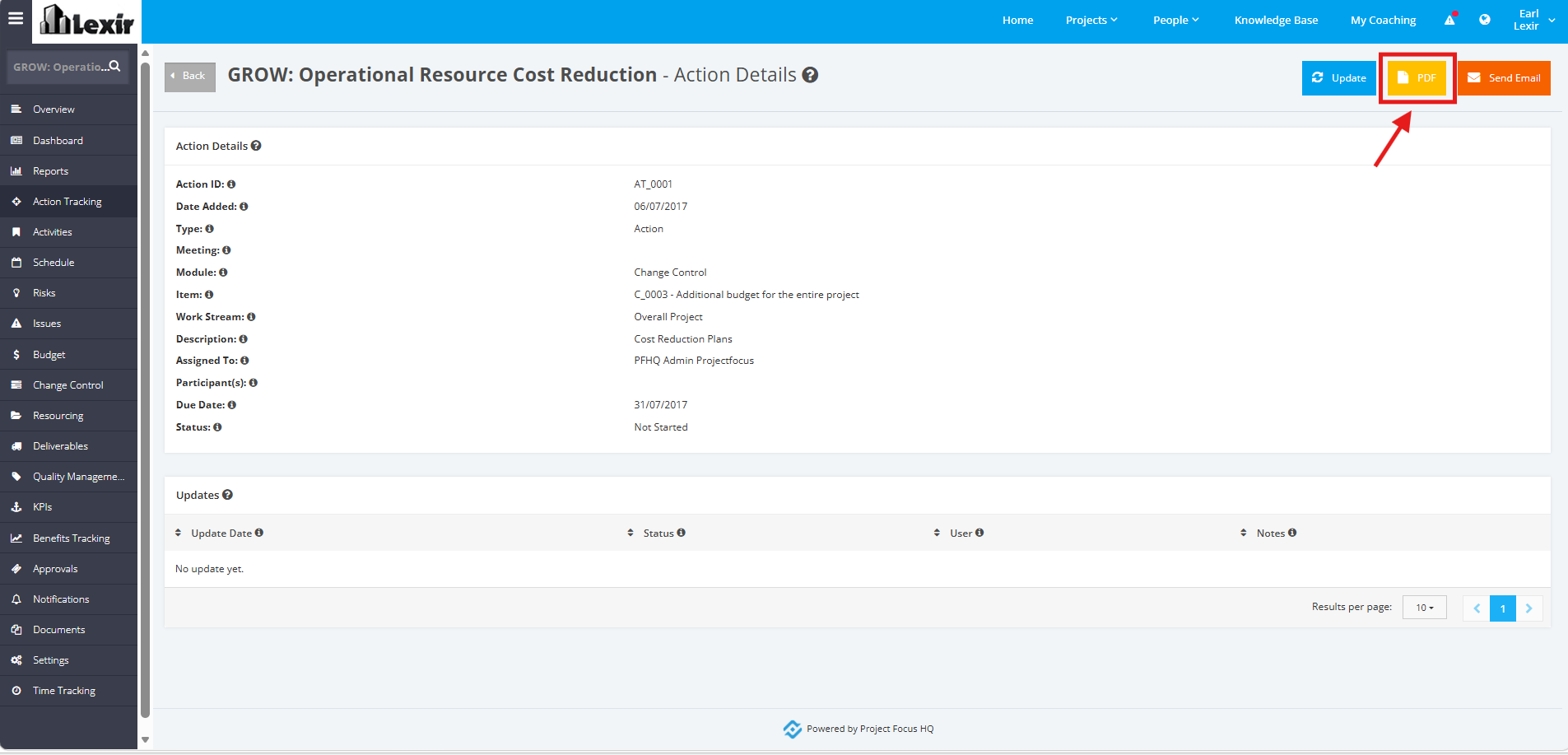
3. Click the ‘PDF’ button within the Change Control Action Details page.
4. Once clicked, the Change Control Action details will be exported into a PDF file.