
1. Downloading Change Control Details in PDF Format
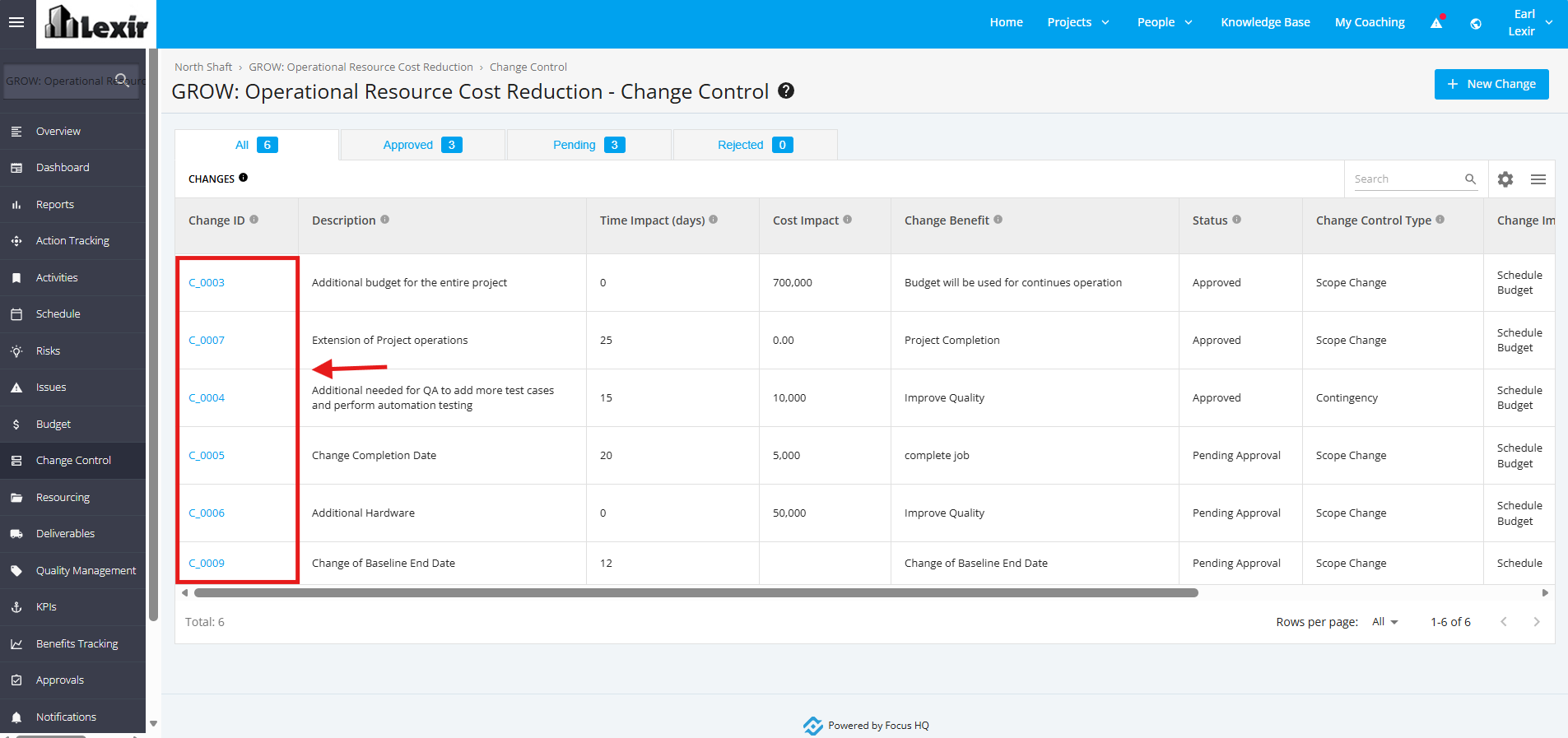
1. In the Change Control page, click the Change ID item.
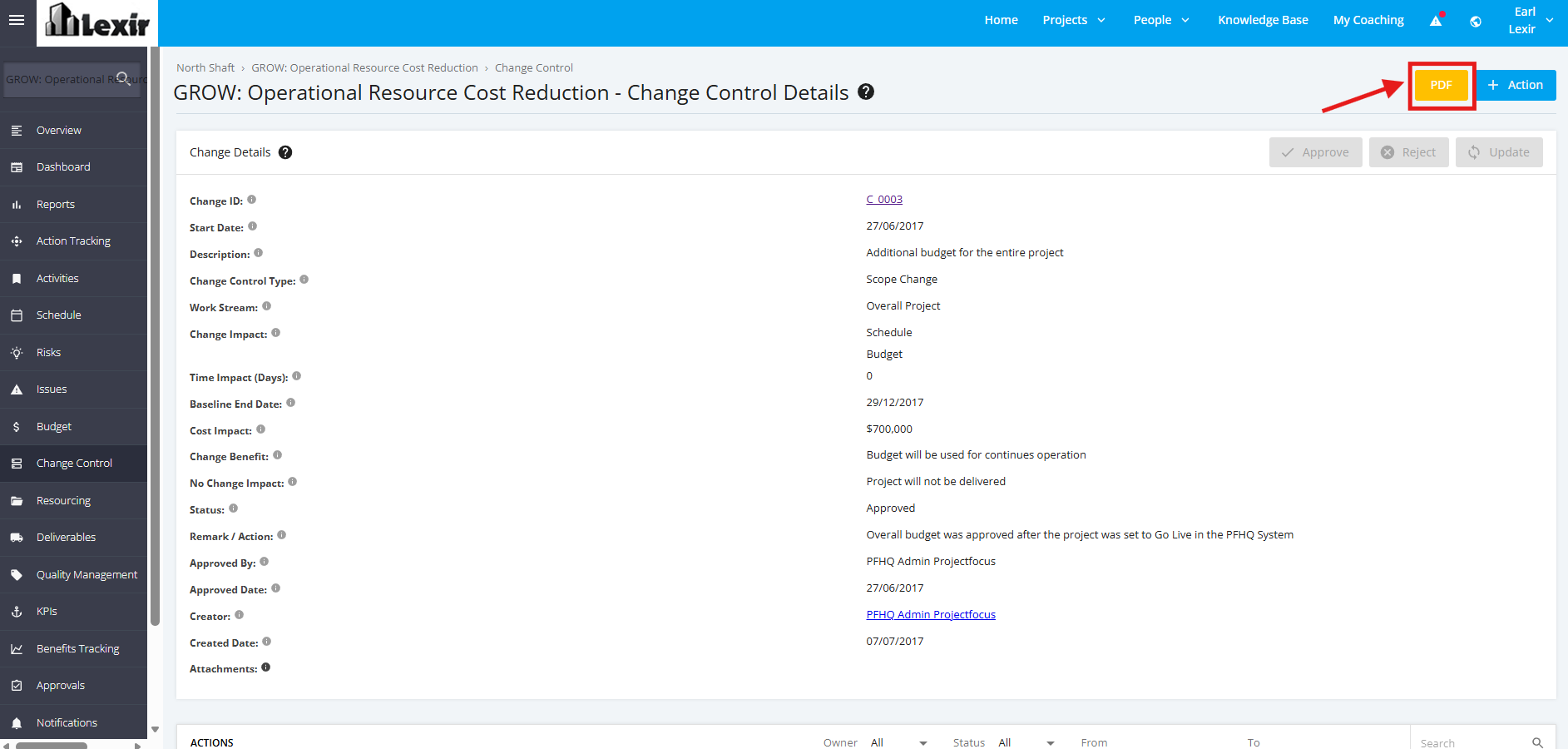
2. Once redirected to the Change Control Details page, click the PDF button at the top right corner.
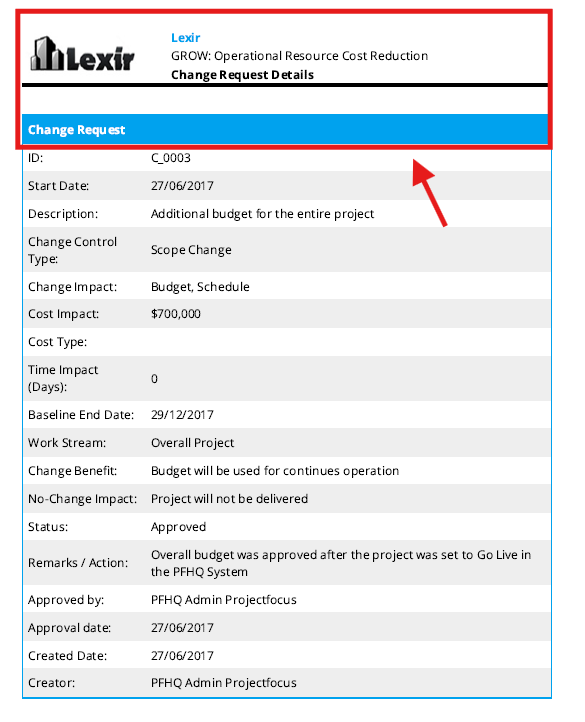
3. Once clicked, the Change Control Request details will be exported into a PDF file.
Downloading Change Control Details in PDF Format