1. Add a Pipelined Project within a Portfolio
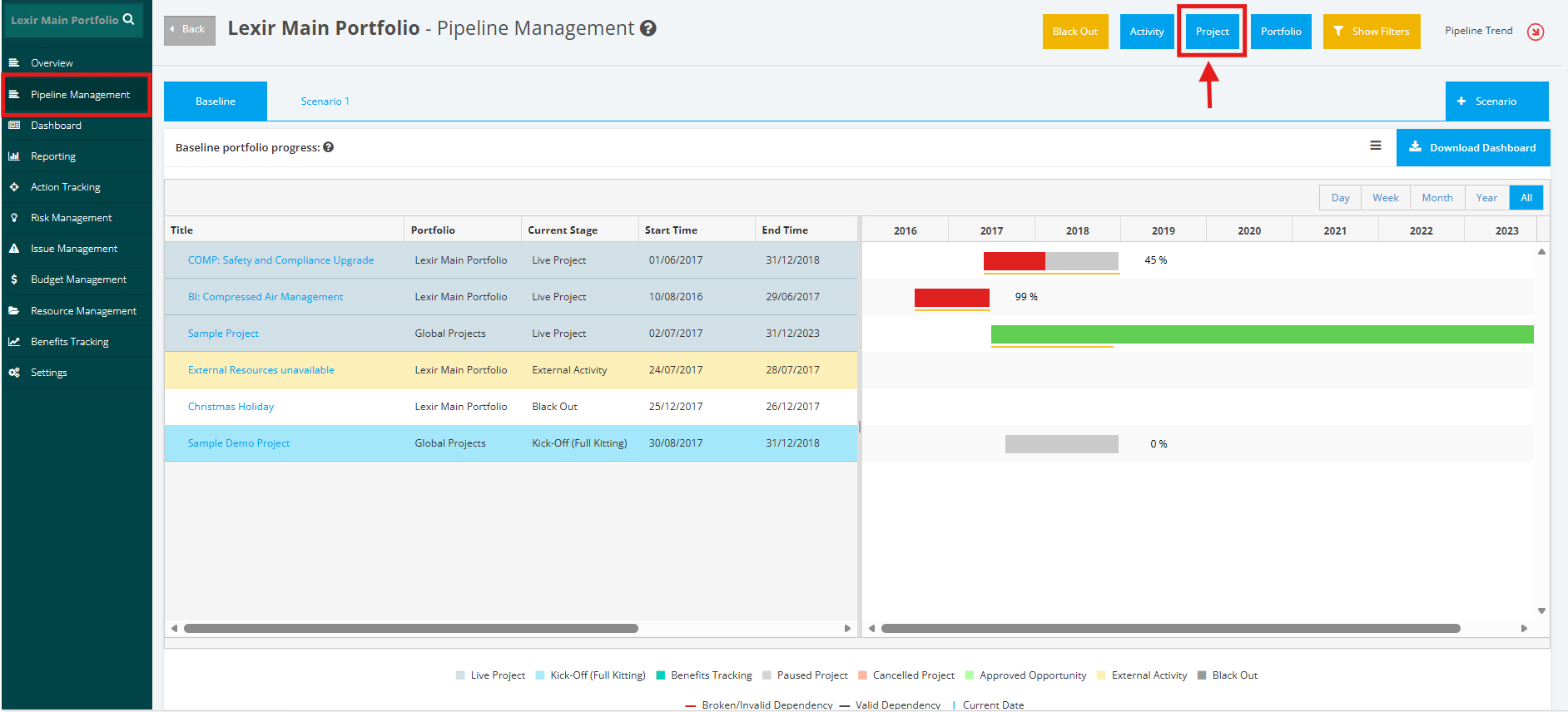
1. To add a ‘Pipelined Project’ within a Portfolio, click the ‘Pipeline Management’ tab from the left side bar of the Portfolio Page. Once done, click the ‘Project’ button.
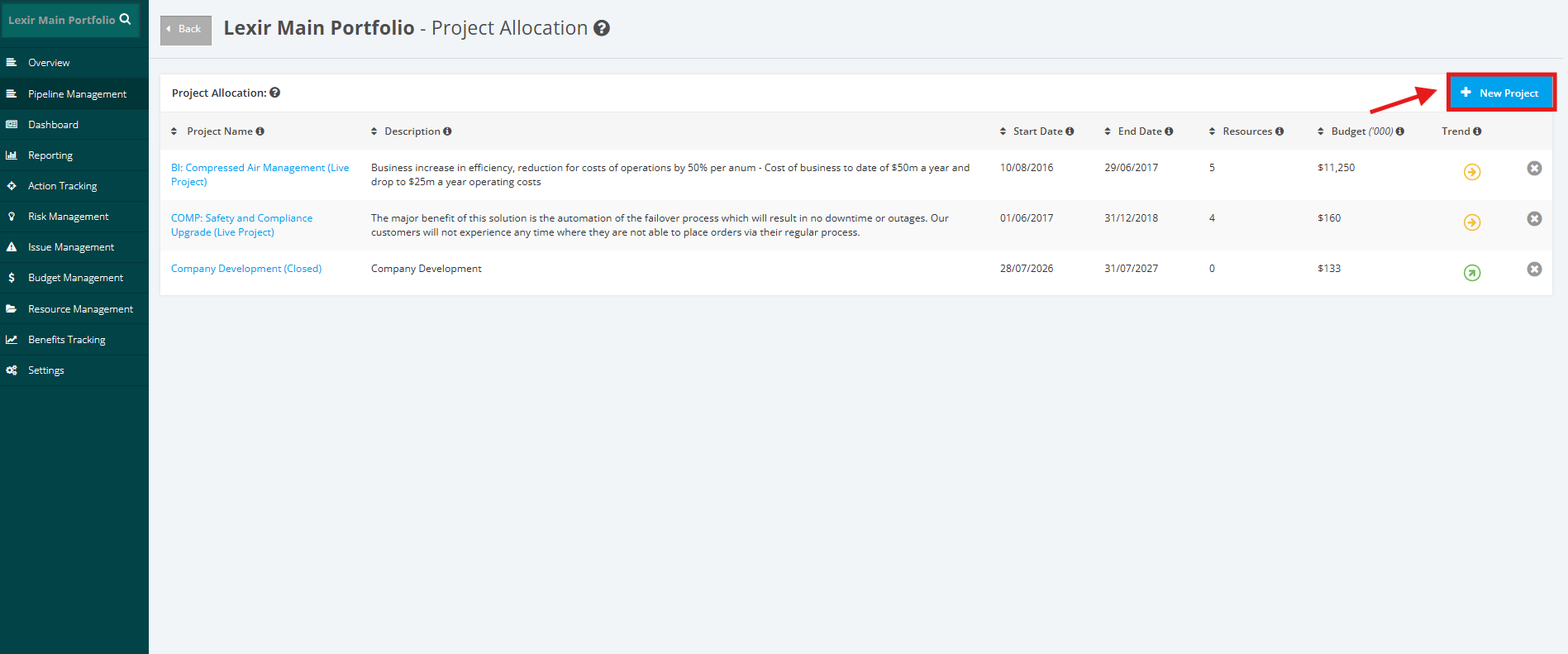
2. The Project Allocation table list is displayed. Click the ‘New Project’ button on the top right corner.
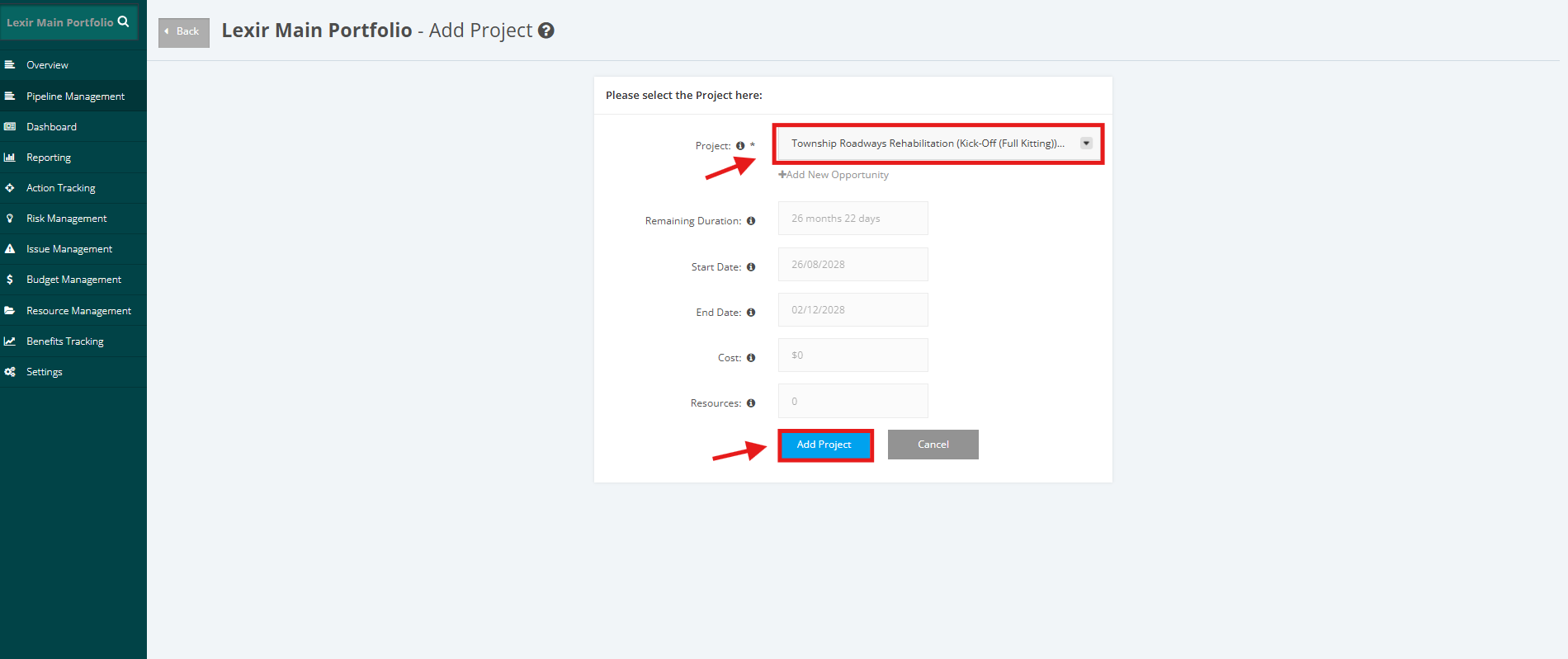
3. Add a Pipelined Project by clicking the ‘Project’ dropdown menu. Once done, click the ‘Add Project’ button.
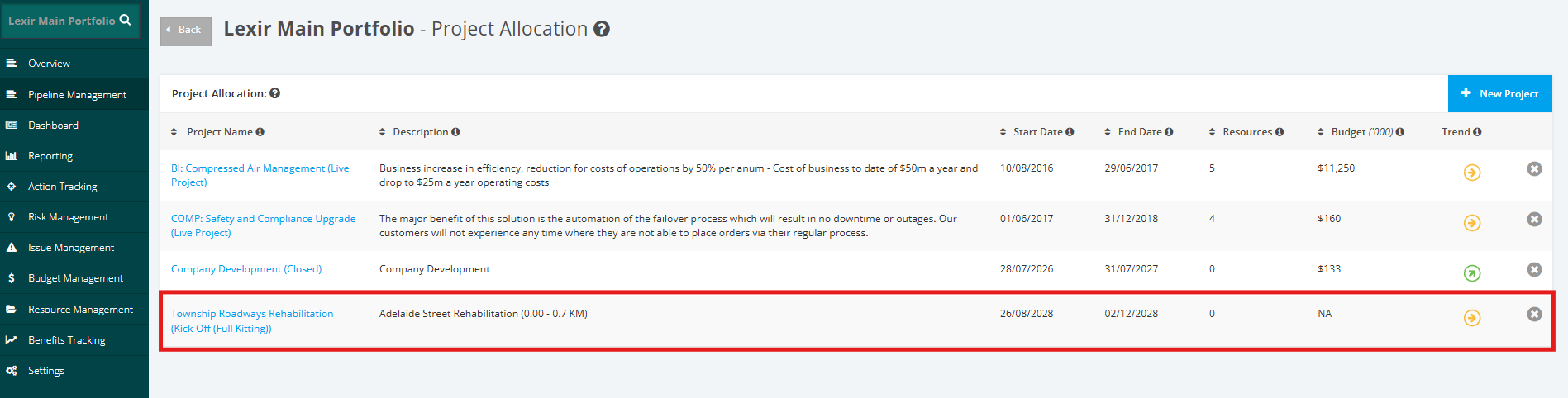
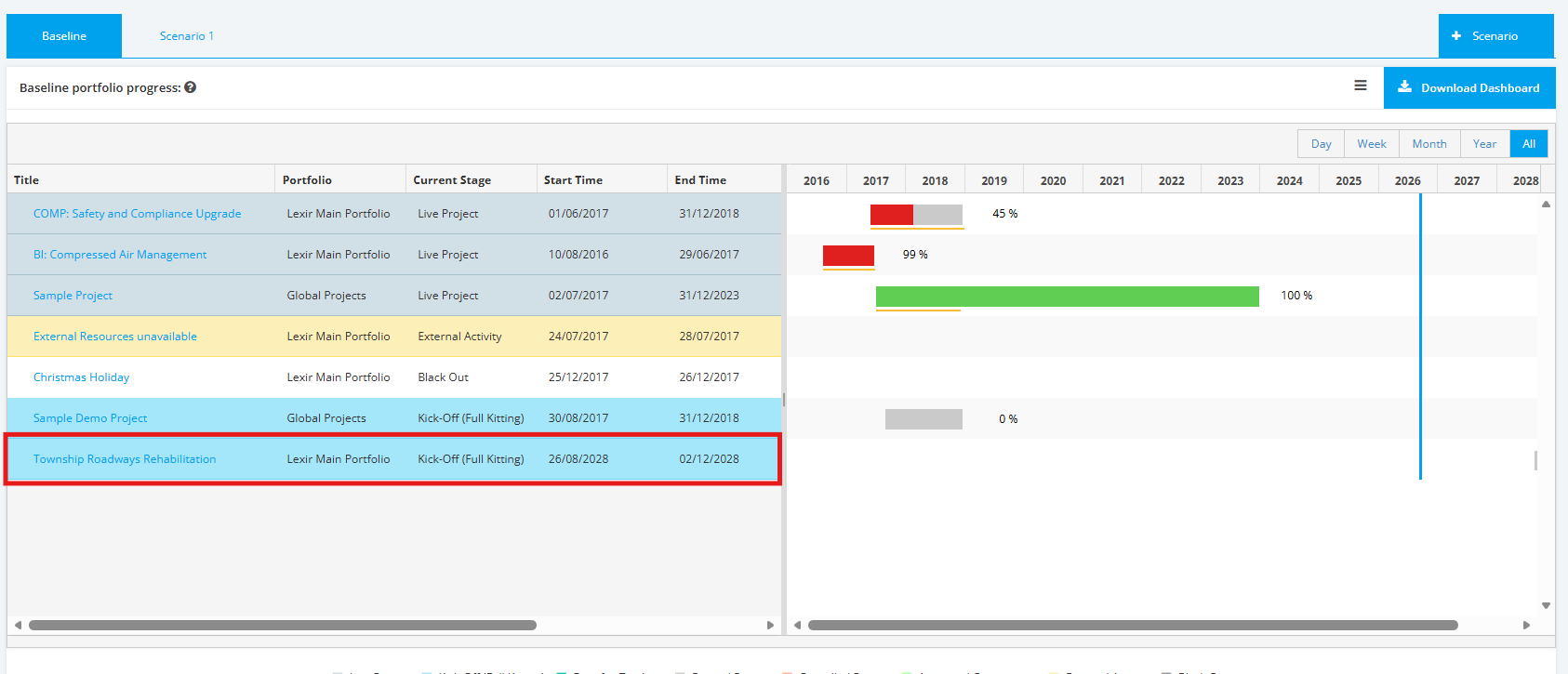
4. The Pipelined Project is now added in the Portfolio.
It is added both in the Project Allocation Table and in the Baseline Portfolio Progress Chart.