1. How to Download KPIs
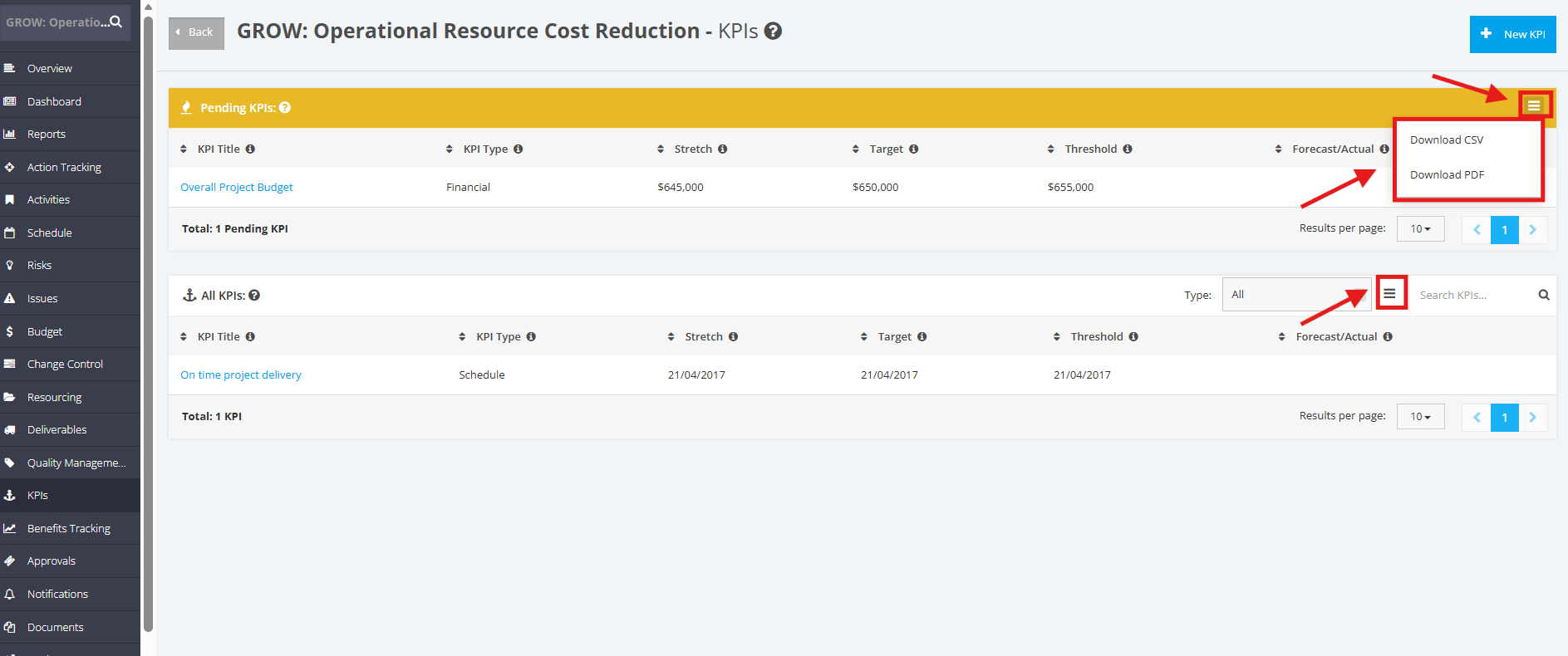
Once a project is selected, go to the left sidebar of the page and click the ‘KPIs’ module. Navigate to the ‘Pending KPIs’ or ‘Approved KPIs’ section, and then click the ‘Download’ icon as shown below.
Once done, choose a file to download: ‘Download CSV' or 'Download PDF’.
The file will be saved directly to your device.