
1. Associating Actions to Meetings
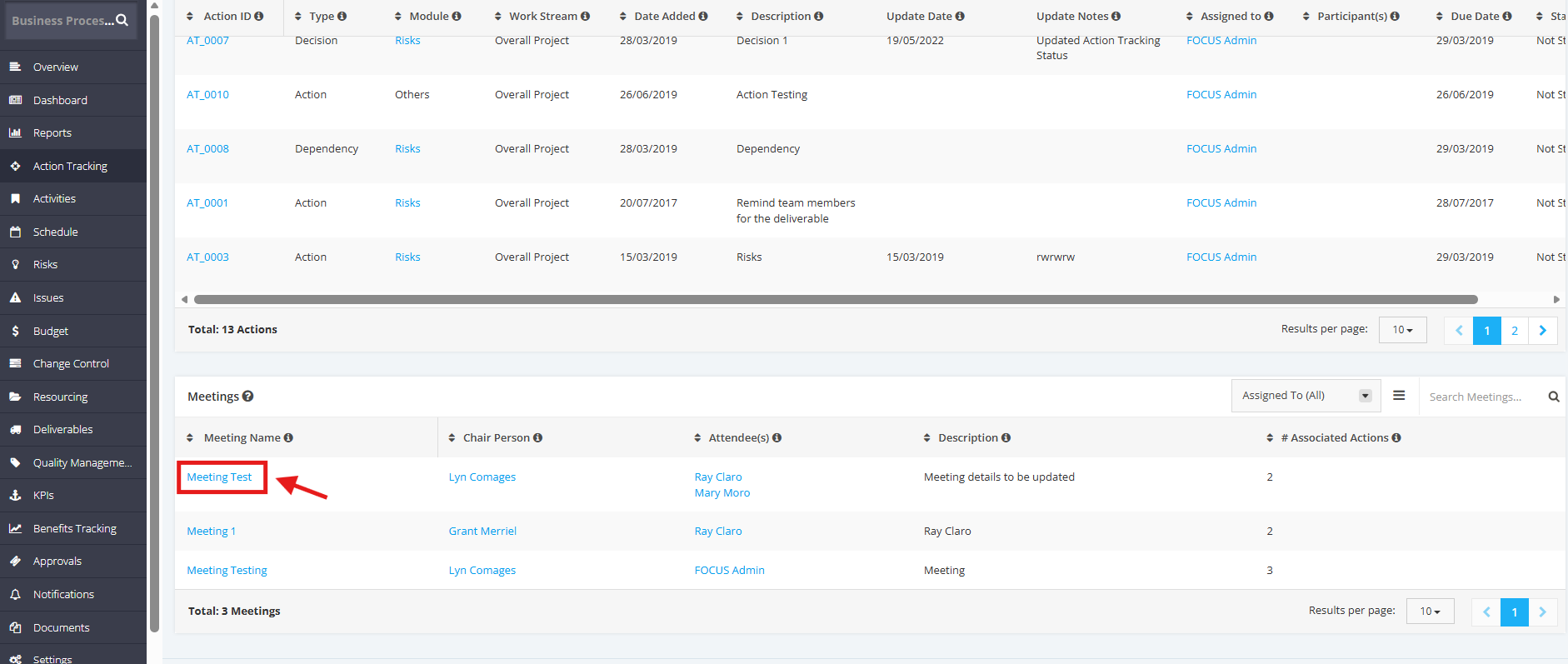
1. In the Meetings table, click the Meeting Name.
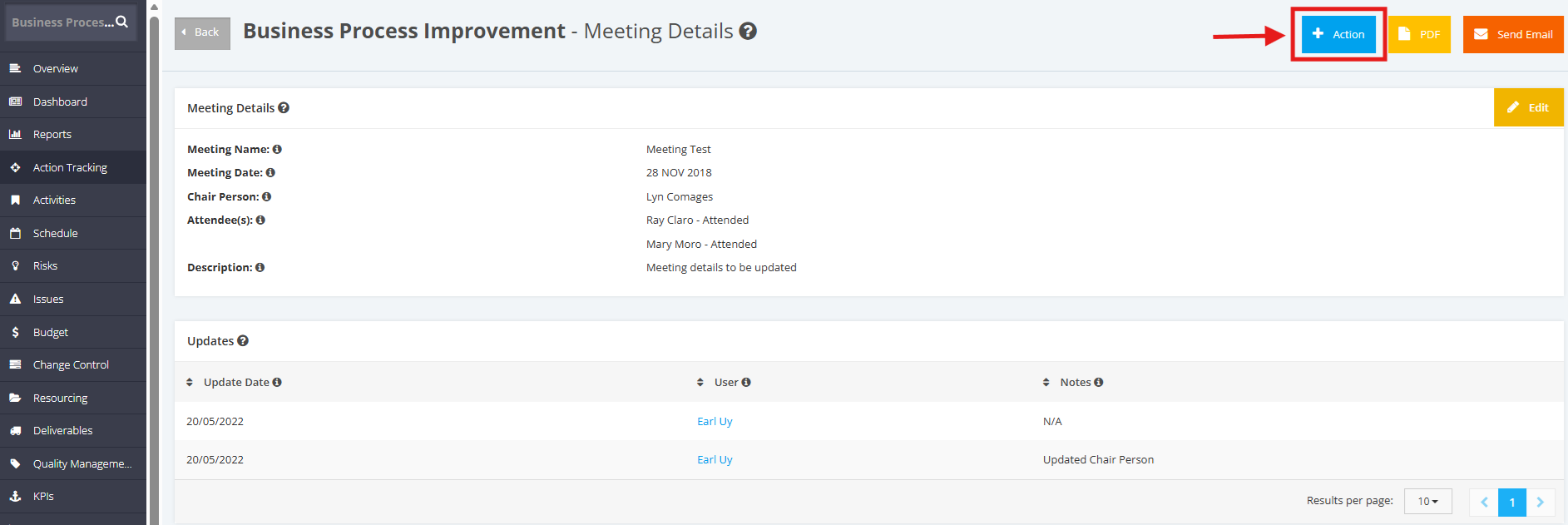
2. Once redirected to the Meeting Details page, click the +Action button on the upper part of the Meeting Details.
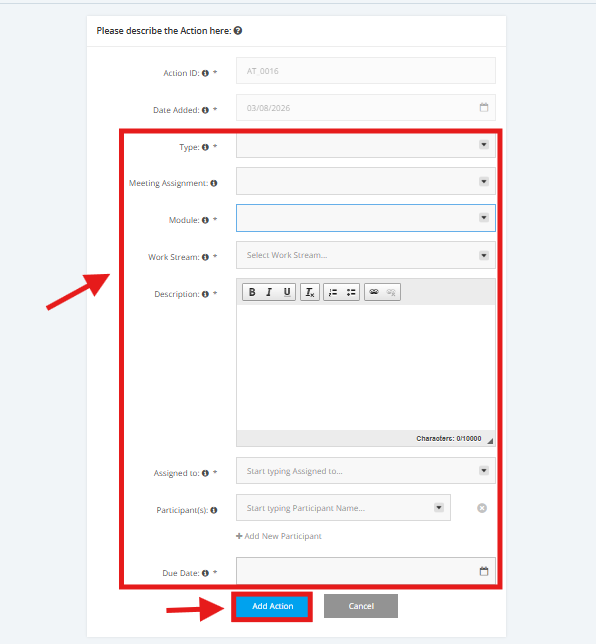
3. Once redirected to the New Action page, fill in the following details:
Type, Meeting Assignment, Module, Work Stream, Description, Assigned to, Participants, Due Date
Once done, click the Add Action button.
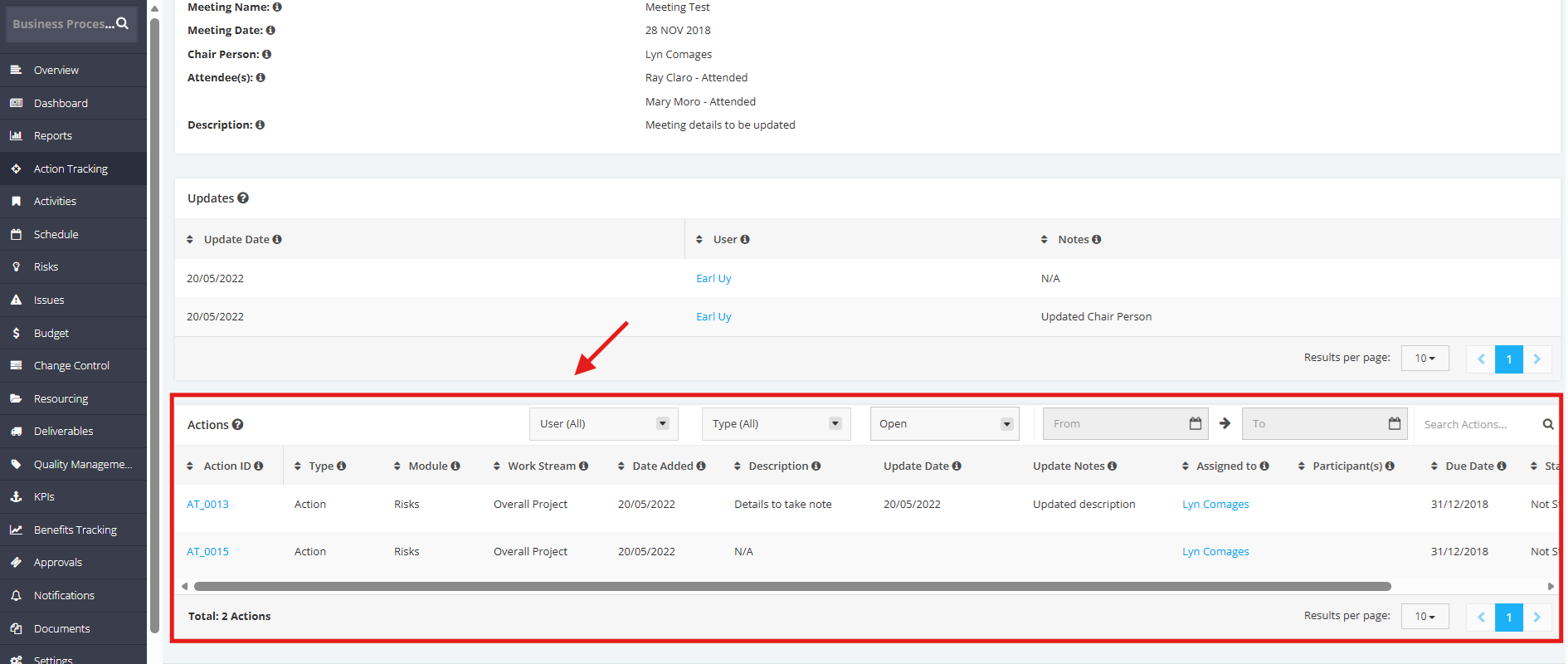
4. Once the Action Item is added, its association will be recorded in the Meeting Details page.
5. There are options to Modify and Delete the associated action items.

6. The Meetings table lists all meetings and the number of action items associated with each one.
