1. Update a Meeting Item in Action Tracking
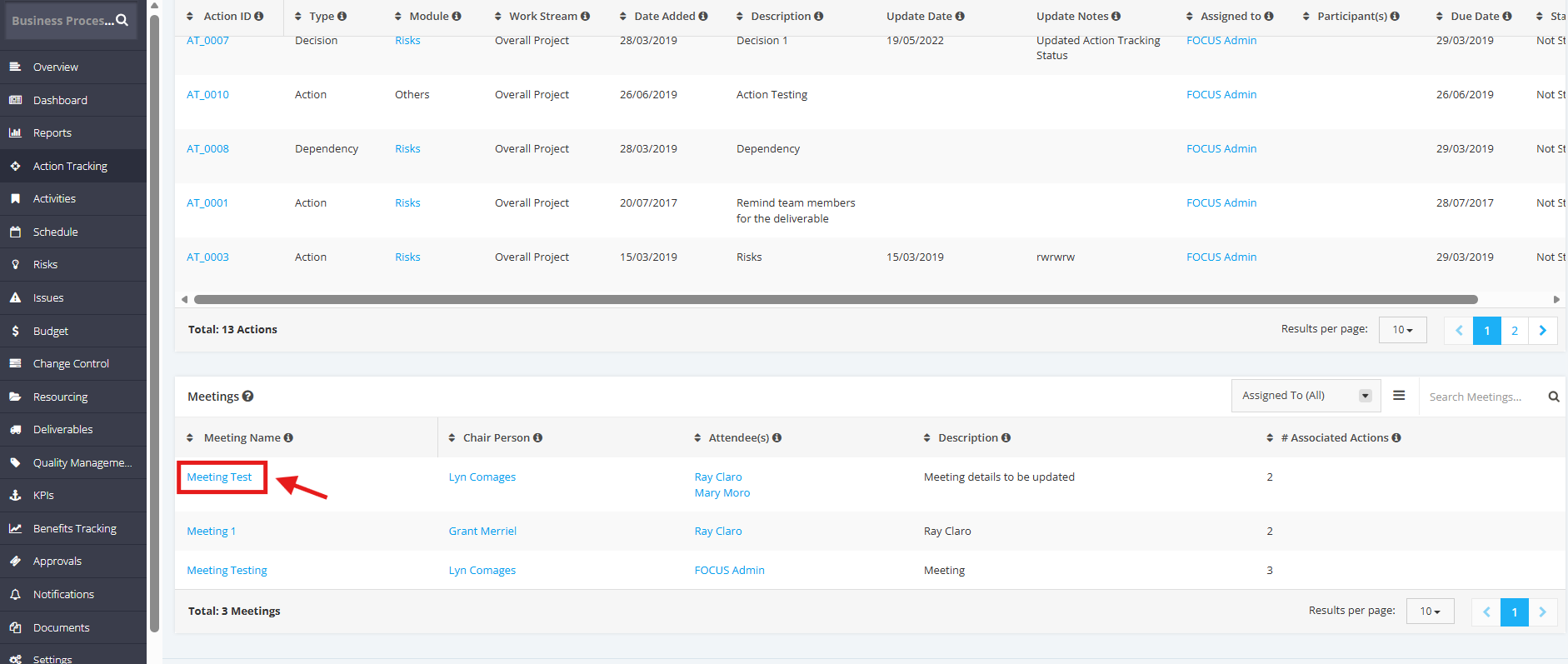
1. In the Meetings table, click the Meeting Name.
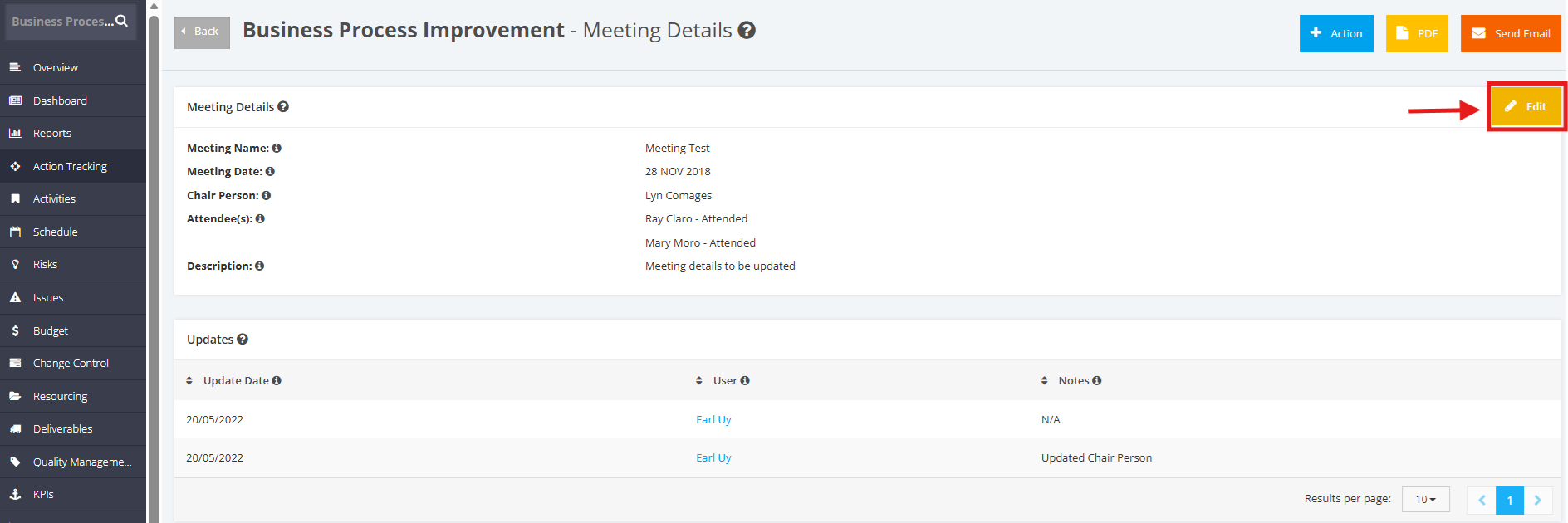
2. Once redirected to the Meeting Details page, click the Edit button.
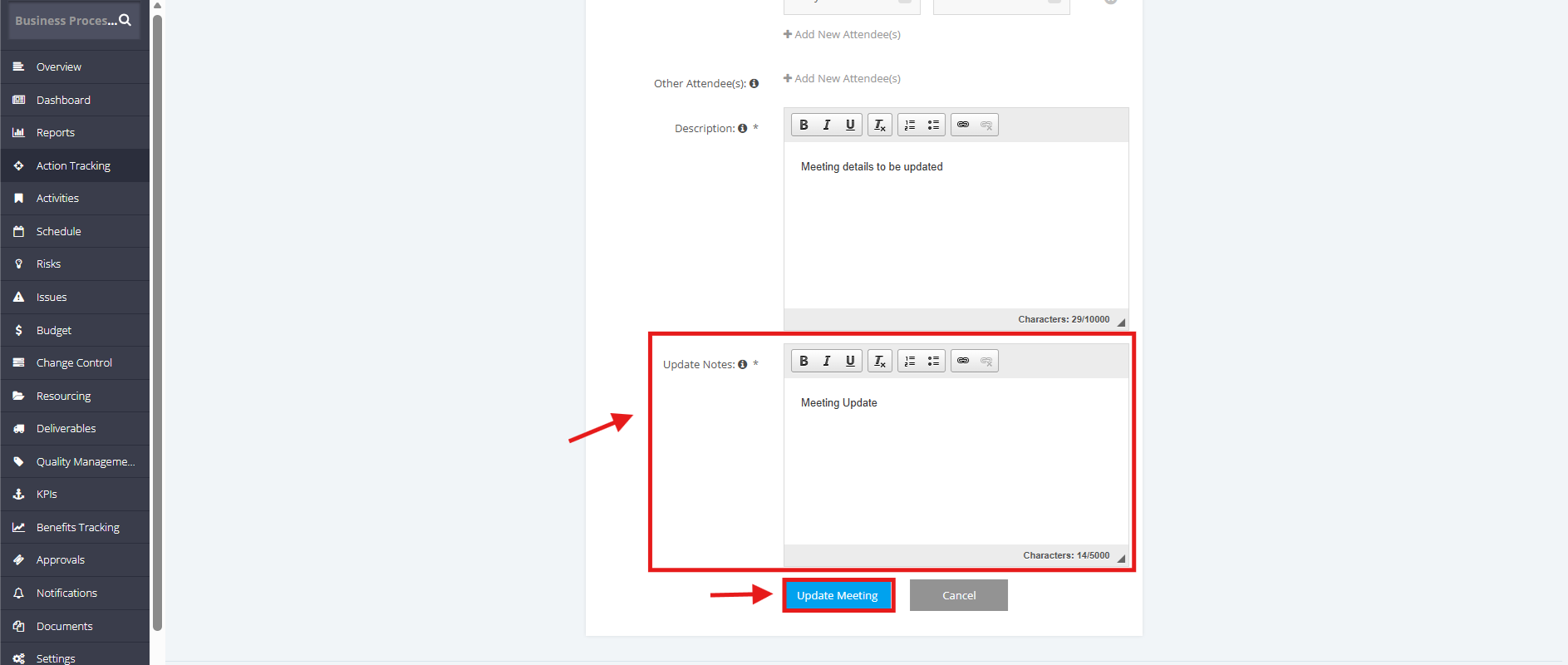
3. In the Update Meeting page, update all necessary information. Once done, note the updates made in the Update Notes field.
Once done, click the Update Meeting button.