1. Video
You can check the video for a walkthrough of how to add a Meeting in the Project.
2. Add Meeting in Action Tracking
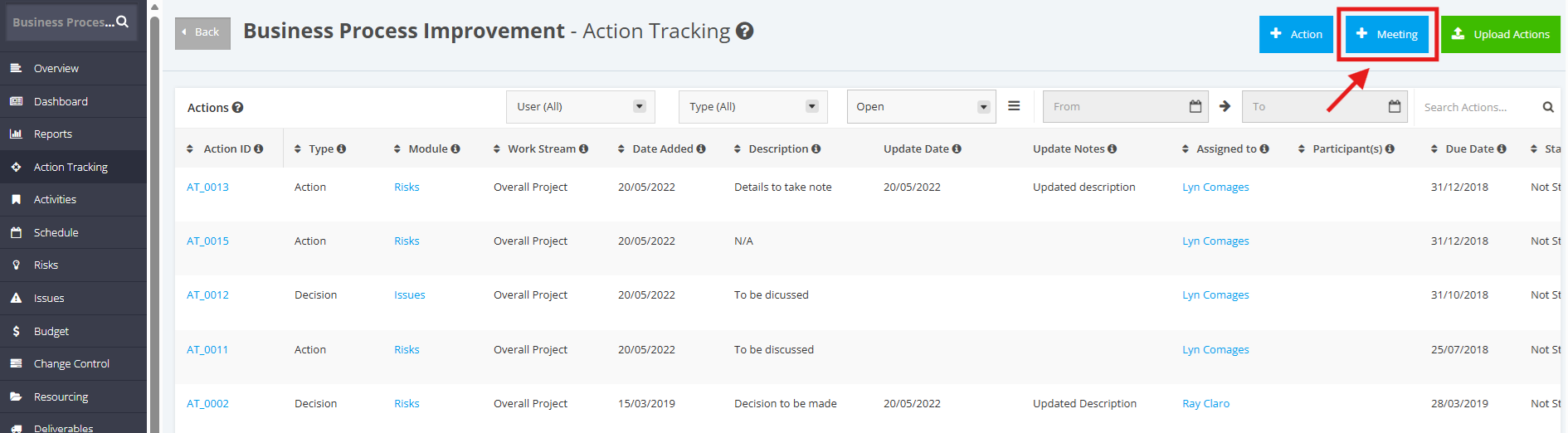
1. In the Action Tracking details page, click the '+Meeting' button.
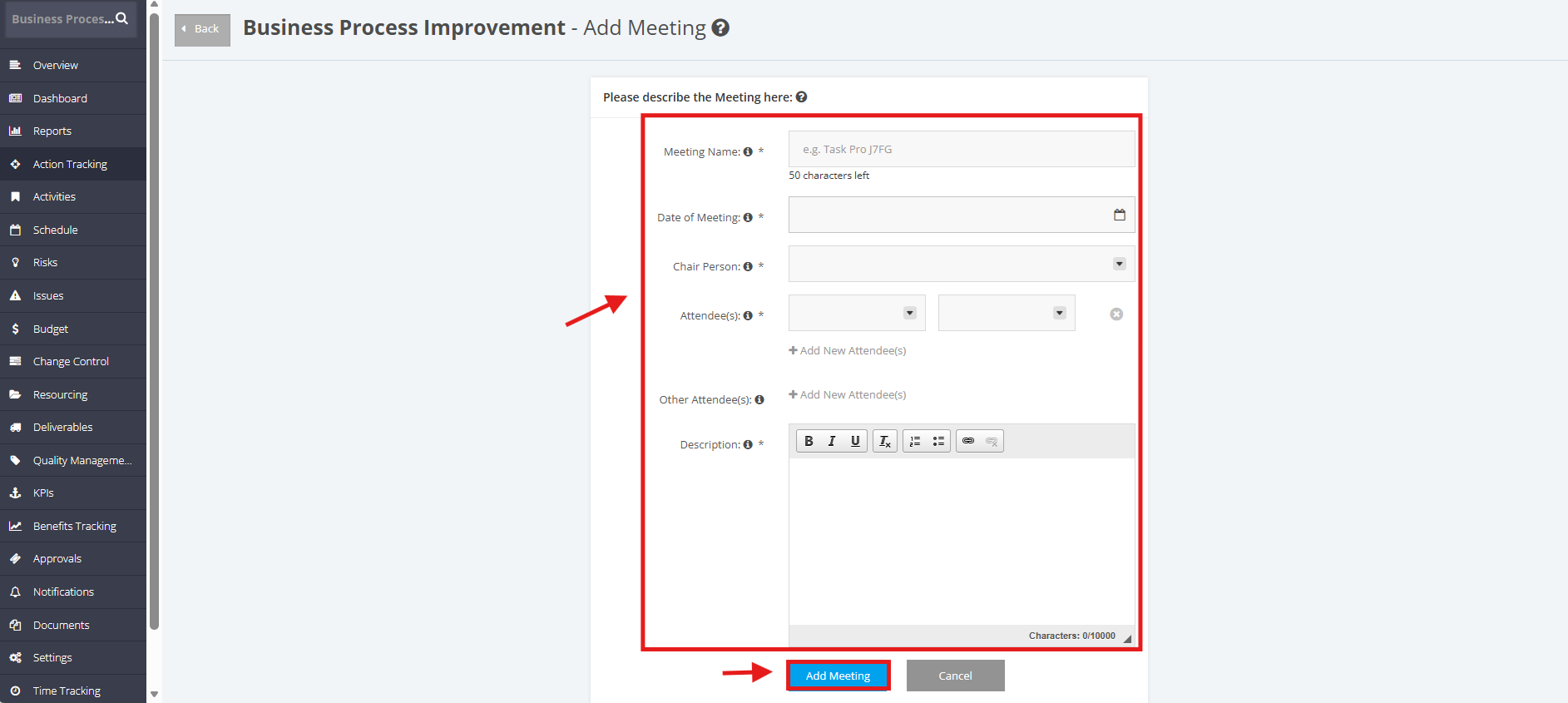
2. Once redirected to the ‘Add Meeting’ page, populate the following fields:
- Meeting Name
- Date of Meeting
- Chair Person – the person in charge for holding the meeting
- Attendee(s) – the people involved in attending the meeting
- Other Attendee(s)
- Description - brief discussion of the meeting
Once done, click the 'Add Meeting' button. The created Meeting item will be displayed in the 'Meetings' table.