1. Manage Approver Responsibilities at a Company Level
- To manage Approver Responsibilities in the Company Profile Settings, open the FOCUS™ platform using this link: https://app.projectfocushq.com/accounts/login/.
- Login using your ‘Username’ and ‘Password’ and click the ‘Log-in’ button.
- Once logged in you will reach the Company’s Homepage. Go to the Top Navigation, hover over your ‘Company Name’ then click on the ‘Edit’ icon as shown below. Once done, you will reach the Company Profile.
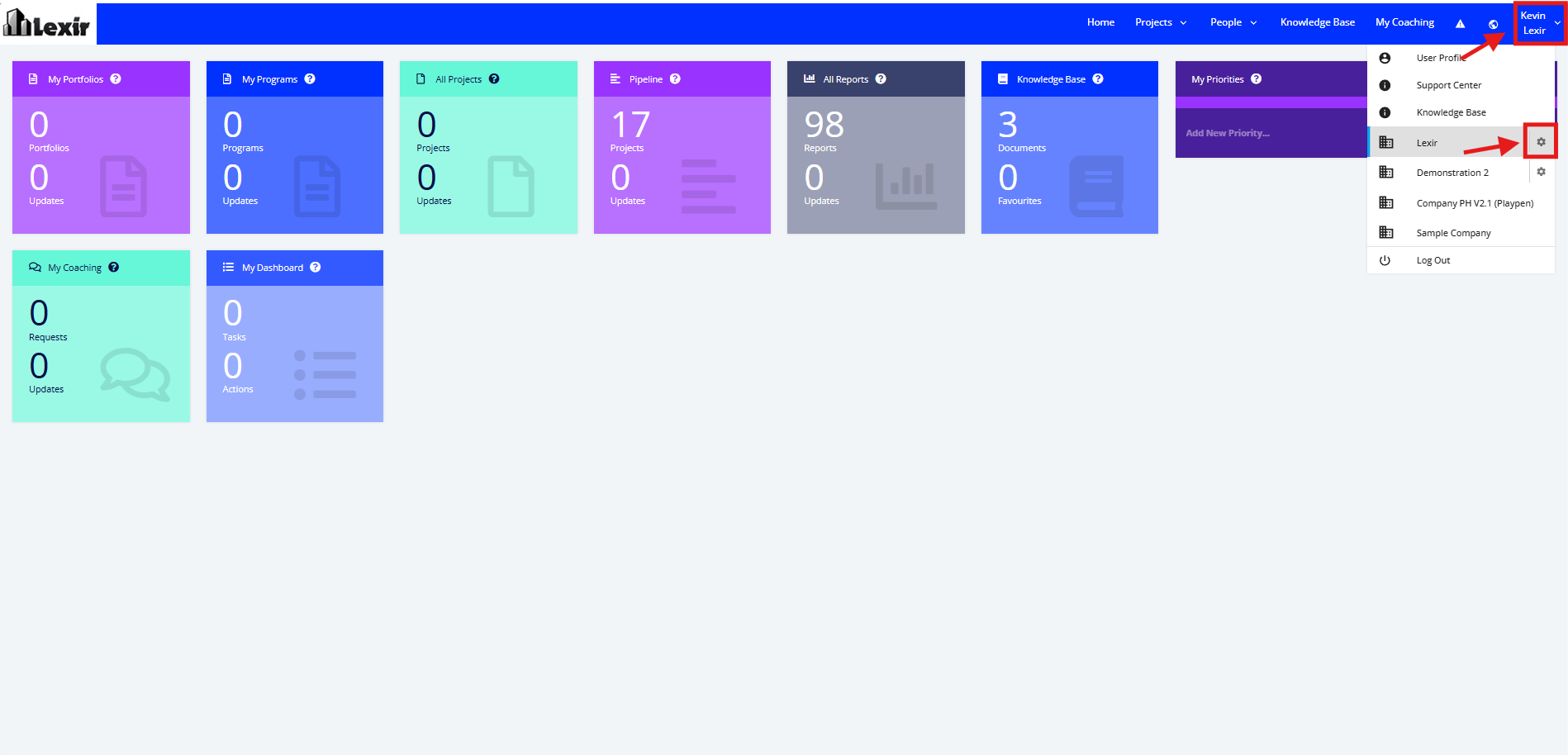
Note: Only Users with access to the Company Profile can edit this page.
1. Within the Company Profile, scroll down to the ‘Approver Responsibilities’ section. This is the section where you can assign a responsibility to a User Role.
This is to remove confusion as to who can approve or do what at a company level.
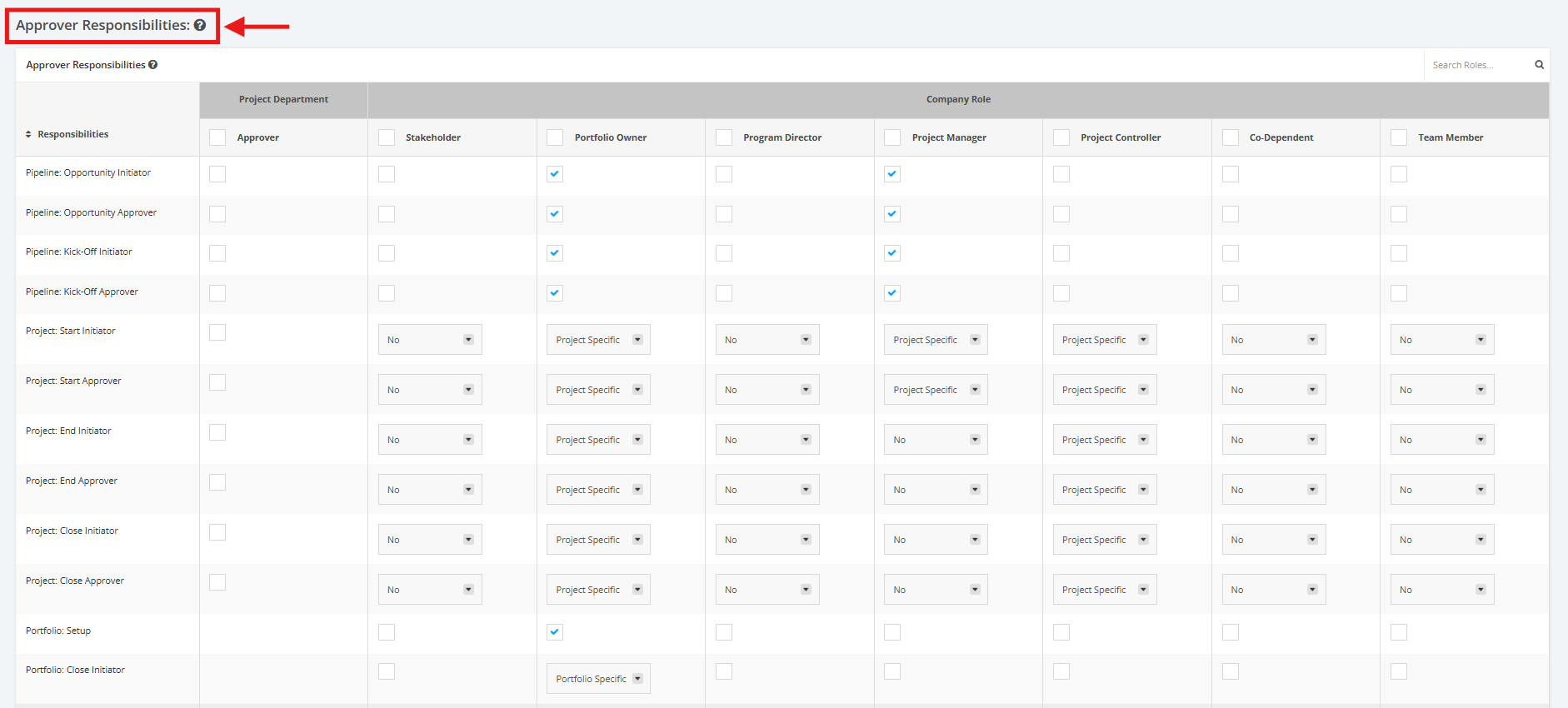
2. Once you’ve reach the ‘Approver Responsibilities’ section:
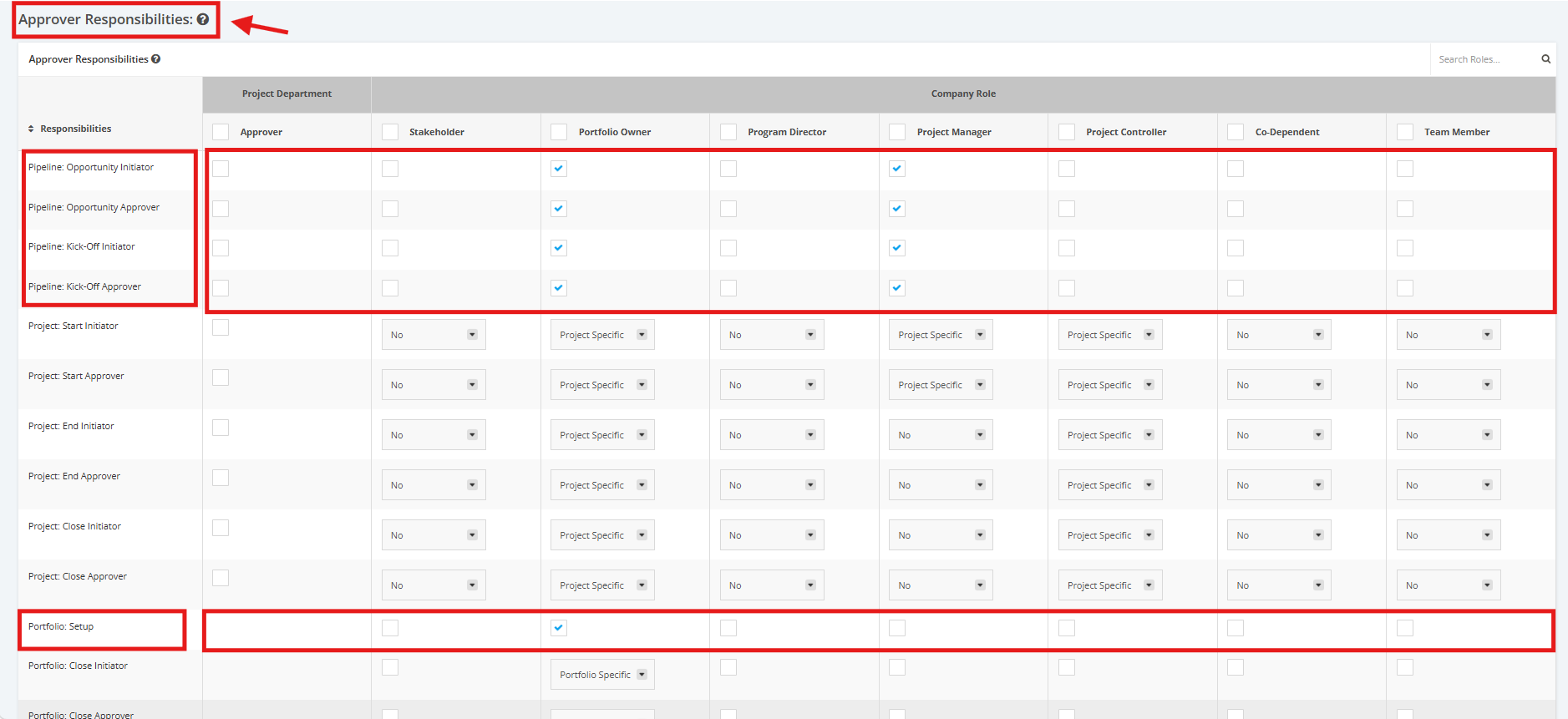
- Tick the checkboxes to make a ‘Company Role’ or a ‘Project Department’ an approver (E.g. The Project Department can approve Pipeline: Opportunities, Portfolio Manager can approve Pipeline: Kick Off projects etc.).
- Untick the checkboxes to remove an Approver’s right from a Role.
Tick boxes are only applicable for the following Responsibilities:
- ‘Pipeline: Opportunity Initiator’
- ‘Pipeline: Opportunity Approver’
- ‘Pipeline: Kick-Off Initiator’
- ‘Pipeline: Kick-Off Approver’
- ‘Portfolio: Setup’
Note: Company Roles with unticked boxes don’t have the ability to update or approve any Pipeline, Project, Portfolio or Program.
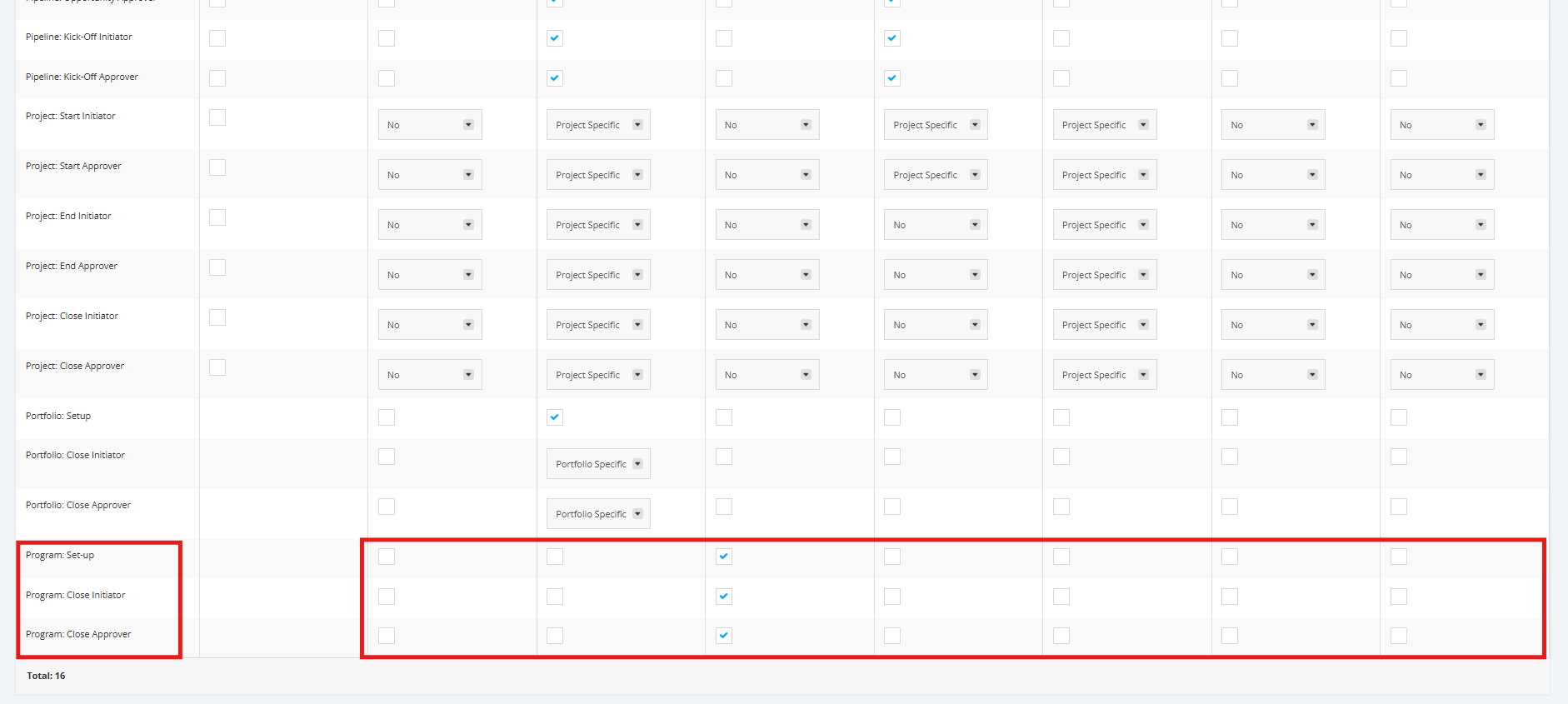
3. For the ‘Program: Setup’, ‘Program: Close Initiator’ and ‘Program: Close Approver’ responsibilities, it is available for
Company Roles except Project Department. Tick the box as shown below to be assigned as an Approver.
To remove an Approver’s right from a Role, untick the box.
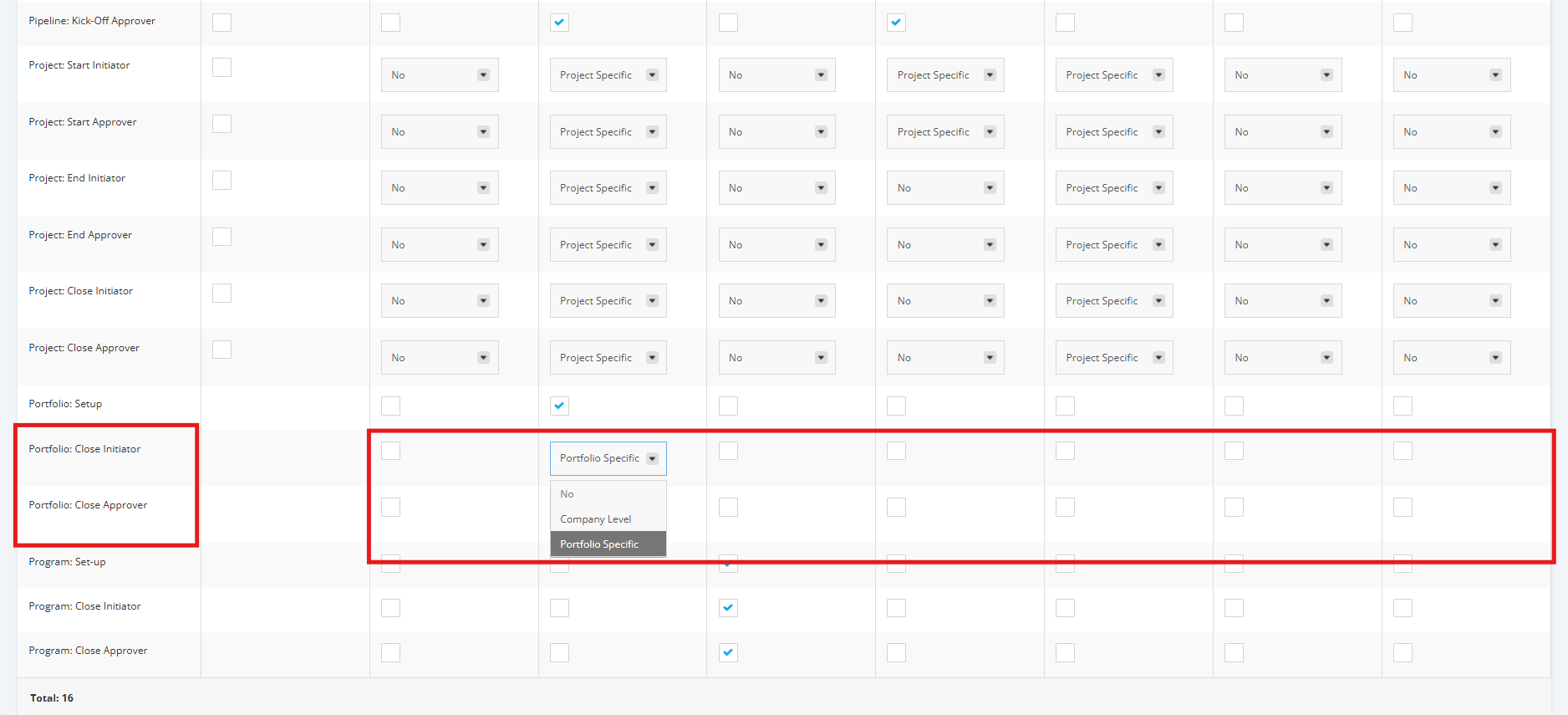
4. For the ‘Portfolio: Close Initiator’ and ‘Portfolio: Close Approver’ responsibilities, only the Portfolio Manager can be assigned as an approver at a ‘Company level’, or ‘Portfolio Specific’. To do this, click the dropdown menu and choose the appropriate option.
For the rest of the Company Roles except Project Department, tick the box as shown below to be assigned as an Approver.
To remove an Approver’s right from a Role, untick the box or choose ‘No’ if there’s a dropdown menu.
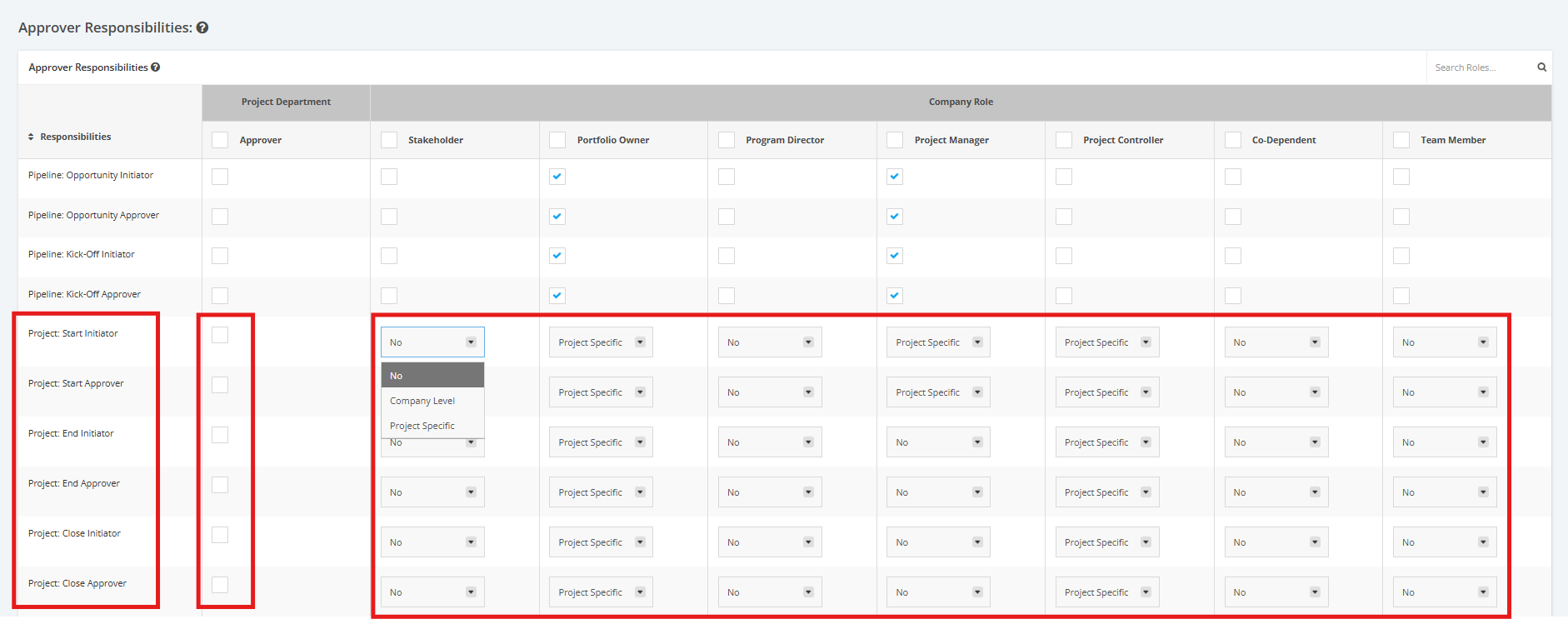
5. For the remaining Responsibilities: ‘Project: Start Initiator’, ‘Project: Start Approver’, ‘Project: End Initiator’, ‘Project: End Approver’, ‘Project: Close Initiator’, ‘Project: Close Approver’, each company role can be assigned as an approver at a ‘Company level’, or ‘Project Specific’.
To do this, click the dropdown menu and choose the appropriate data (E.g. Stakeholder can’t start a project, Portfolio Manager is the Project Start Approver at a Company Level etc.).
Also, to make the ‘Project Department’ an approver, tick the box as shown below.
To remove an Approver’s right from a Role, untick the box or choose ‘No’ if there’s a dropdown menu.